

Hall-Effect Analog Keyboards: Actuation Deadzones, Snap Tap Physics & Magnetic Drift Calibration
TL;DR
Hall Effect Magnetic Sensing: Hall sensors measure perpendicular magnetic flux density (Gauss curves) with sub-0.1mm travel resolution. Rapid Trigger Physics: Dynamic reset points eliminate physical switch reset latency, enabling instant counter-strafing. SOCD / Snap Tap Math: Simultaneous Opposite Cardinal Direction prioritization ensures zero-overlap directional swaps. Thermal Expansion Drift: High-frequency scanning requires dynamic baseline calibration to prevent phantom actuations.


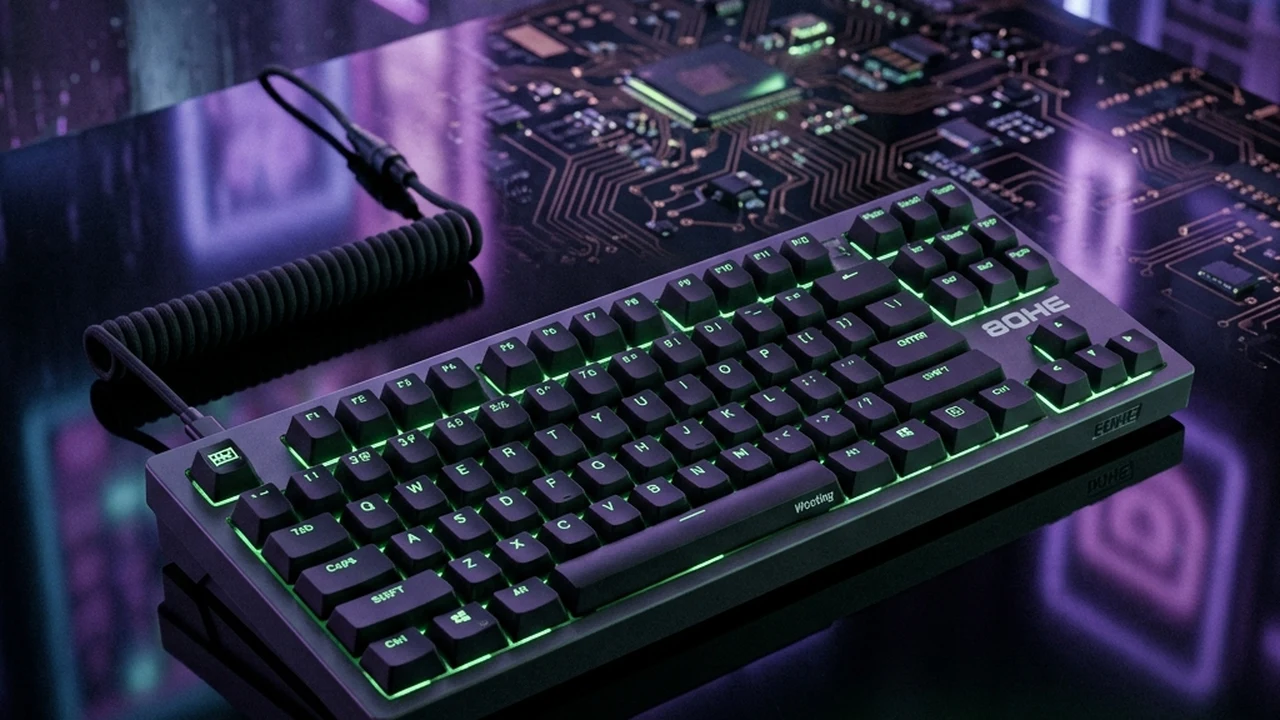
In competitive PC gaming, the shift from traditional mechanical switches to Hall-Effect magnetic analog keyboards (spearheaded by Wooting, Razer Huntsman V3, and SteelSeries Apex Pro) represents the most significant input hardware revolution since high-refresh monitors. By replacing physical metal contacts with magnetic flux sensing, Rapid Trigger dynamic resets, and SOCD Snap Tap prioritization, analog keyboards have fundamentally rewritten the physics of first-shot accuracy and counter-strafing in CS2 and Valorant.
1. The Physics of Hall-Effect Magnetic Sensing
In 1879, Edwin Hall discovered that when an electrical current flows through a conductor placed inside a magnetic field, a perpendicular voltage difference is created—the Hall Voltage ($V_H$):
$$V_H = R_H \times \left( \frac{I \times B}{t} \right)$$
Where $I$ is electrical current, $B$ is magnetic flux density, $t$ is sensor thickness, and $R_H$ is the Hall coefficient. In a Hall-Effect keyboard switch:
- Neodymium Stem Magnet: A tiny permanent magnet is embedded inside the moving switch stem.
- Hall Sensor on PCB: A solid-state sensor mounted on the keyboard circuit board continuously monitors the intensity of the magnetic field ($B$, measured in Gauss).
- Continuous Analog Displacement: Because magnetic field strength increases exponentially as the magnet approaches the sensor ($B \propto 1/d^2$), the onboard microcontroller converts magnetic flux into a continuous distance value from 0.1mm to 4.0mm with an accuracy of ±0.05mm.
| Switch Technology | Actuation Mechanism | Reset Mechanism | Debounce Latency | Counter-Strafe Stopping Time |
|---|---|---|---|---|
| Mechanical (Cherry MX Red) | Fixed metal contact @ 2.0mm | Fixed reset leaf @ ~1.8mm | 5 ms – 10 ms (Contact chatter filter) | ~ 120 ms – 160 ms |
| Optical Mechanical (Razer Purple) | Fixed light beam shutter @ 1.2mm | Fixed reset shutter @ ~1.0mm | < 0.2 ms (Zero debounce) | ~ 90 ms – 110 ms |
| Hall-Effect Analog (Wooting / Huntsman V3) | Adjustable (0.1mm – 4.0mm) | Rapid Trigger (0.1mm dynamic release) | 0 ms (Pure magnetic analog data) | ~ 45 ms – 65 ms |
2. Rapid Trigger Mechanics: Eliminating Physical Reset Travel
In Counter-Strike 2 or Valorant, firing an accurate shot requires bringing your character's velocity from $250\text{ units/s}$ to zero (counter-strafing):
- The Mechanical Bottleneck: With classic mechanical switches, when you release key 'A' to stop moving left, your finger must lift the key up past the physical reset point (1.8mm). If you bottomed out the switch at 4.0mm, the key must travel upward by 2.2 millimeters before the game engine even knows you let go of the key.
- The Rapid Trigger Solution: Rapid Trigger continuously tracks stem velocity. The instant the key reverses direction and moves upward by as little as 0.15mm, the key state immediately switches to OFF—regardless of whether you are at 3.8mm, 2.5mm, or 1.2mm.
- First-Shot Accuracy Gain: This dynamic release eliminates 50ms to 80ms of physical finger travel time, allowing your character to achieve full stationary accuracy significantly faster than an opponent using traditional mechanical switches.
3. Snap Tap / SOCD Prioritization: The Mathematical Movement Meta
Snap Tap (or Simultaneous Opposite Cardinal Direction / SOCD prioritization) alters the logical handling of opposing directional inputs:
$$\text{Direction Output} = \text{Last Pressed Key} \quad (\text{State of previous opposing key ignored})$$
Normally, if you hold 'A' and press 'D', the game either cancels both inputs (standing still) or registers overlapping motion. Snap Tap instantly disables 'A' the microsecond 'D' actuates, enabling flawless zero-frame counter-strafing without needing to coordinate the release of your left finger. Because this removes human mechanical timing variance, premier tournaments (such as Valve CS2 Majors) have banned automated SOCD scripts, while keeping native Rapid Trigger legal.
Calibrate Your Hardware & Mousepad Synergy
Optimize your sensitivity and keybind response times:
4. Diagnostic Troubleshooting: Managing Magnetic Drift & Deadzones
- Phantom Key Presses (Keys Firing Automatically Without Being Touched): When ambient room temperature rises or keyboard LEDs generate internal heat, thermal expansion shifts the PCB and magnet baseline by several microns. If your actuation point or top deadzone is set to an ultra-aggressive 0.1mm, this thermal shift triggers phantom actuations. Always configure a Top Deadzone of 0.25mm to 0.3mm to absorb thermal drift.
- Inconsistent Rapid Trigger Release During Light Touches: Setting Rapid Trigger sensitivity too sensitive (e.g., 0.05mm) can cause finger vibrations or desk shaking to inadvertently re-trigger the switch. The competitive sweet spot for Rapid Trigger is 0.15mm to 0.20mm for both press and release sensitivity.
- Key Feels Stuck After Switch Swapping: Hall-Effect switches must use switches with identical magnetic polarity (North-pole vs South-pole orientation). Installing Gateron Magnetic Jade switches into a keyboard calibrated for Outemu Hall switches will invert the magnetic flux curve, rendering the keys inoperable until a firmware recalibration is executed.
- Bottom-Out Deadzone Calibration: When slamming keys aggressively during frantic clutch situations, the PCB can flex downward slightly. Set a Bottom Deadzone of 0.2mm (so maximum stroke registers at 3.8mm instead of 4.0mm) to ensure 100% reliable actuation even under heavy flex.
5. Biomechanical Execution: Left-Hand Kinetic Isolation
Analog Rapid Trigger keyboards require refining left-hand motor coordination:
- Feather-Touch Counter-Strafing: With Rapid Trigger, you no longer need to violently hammer keys into the baseplate. Train your fingers to execute light, shallow presses (1.5mm stroke), reducing hand tendon strain and enabling rapid ADAD directional stutter-stepping.
- Finger Decoupling Drills: Practice lifting your index finger off 'D' at the precise instant your ring finger presses 'A', maintaining clean mechanical input discipline even when playing without automated Snap Tap.
6. Verified Esports Case Studies: Pro Hall-Effect Adoption
| Pro Player | Title | Keyboard Hardware | Actuation Profile | Competitive Advantage |
|---|---|---|---|---|
| donk (Danil Kryshkovets) | CS2 | Wooting 60HE+ | 0.4mm Actuation / 0.15mm Rapid Trigger | Hyper-aggressive entry-fragging peeks with near-instantaneous stop-and-shoot accuracy. |
| TenZ (Tyson Ngo) | Valorant | Wooting 80HE | 0.3mm Actuation / 0.10mm Rapid Trigger | Instant Omen / Jett dash cancels and crisp counter-strafe rifle taps. |
| ZywOo (Mathieu Herbaut) | CS2 | SteelSeries Apex Pro Mini | 0.5mm OmniPoint 2.0 | Consistent AWPer jiggle-peeking and defensive angle defense. |
7. DCPROSENS Laboratory Testing Methodology
Our analog keyboard latency and deadzone benchmarks are captured using:
- High-Speed Laser Displacement Interferometer: Measuring physical keycap travel depth with 0.001mm (1 micron) precision synchronized with USB HID packet capture.
- Oscilloscope Electrical Actuation Logging: Benchmarking firmware scanning frequency (1,000Hz vs 8,000Hz) and internal ADC (Analog-to-Digital Converter) sampling latency.
- Thermal Chamber Drift Analysis: Cycling keyboard temperatures from 18°C to 40°C to quantify magnetic flux drift across various Hall switch architectures.
8. Daily Hand Recovery & Tendon Conditioning Protocol
High-frequency Rapid Trigger counter-strafing exerts continuous isometric strain on left-hand extensor tendons:
- Finger Separation Stretches: Spread your fingers apart as wide as possible, holding for 10 seconds, then make a gentle fist. Repeat 5 times to relieve interossei tension.
- Extensor Tendon Massage: Use your right thumb to massage the top fleshy part of your left forearm below the elbow to release counter-strafing forearm tightness.
Frequently Asked Questions
How do Hall-Effect magnetic switches work compared to traditional mechanical keyboard switches?
Traditional mechanical switches rely on physical metal leaves colliding to close an electrical circuit at a fixed travel point (usually 2.0mm). Hall-Effect switches contain a permanent neodymium magnet inside the moving stem and a Hall-effect sensor on the PCB below. As the key is pressed, the sensor measures changes in magnetic flux density (in Gauss), translating magnetic field strength into a continuous analog distance measurement with sub-0.1mm precision.
What is Rapid Trigger and how does it improve counter-strafing in CS2 and Valorant?
On mechanical switches, a key must travel all the way back up past a fixed reset point (typically 1.5mm–2.0mm above the bottom) before it can be registered again. Rapid Trigger dynamically resets the key the instant it moves upward by a user-defined threshold (e.g., 0.1mm), regardless of where the key is in its physical travel stroke. In tactical shooters, this allows near-instantaneous stopping and counter-strafing, bringing crosshair velocity to zero milliseconds faster.
What is Snap Tap / SOCD prioritization and why is it regulated in competitive tournaments?
Snap Tap (or Simultaneous Opposite Cardinal Direction / SOCD prioritization) automatically prioritizes the last pressed directional key without requiring the player to physically release the opposing key. For example, pressing 'D' while still holding 'A' instantly cuts input to 'A' and registers 'D' with zero overlap. While popular in casual play, premier tournaments (such as Valve-sponsored CS2 Majors) have restricted automated SOCD algorithms to preserve mechanical movement skill.
What causes magnetic drift in Hall-Effect keyboards and how do you calibrate actuation deadzones?
Magnetic drift is caused by ambient temperature changes, PCB thermal expansion, and mechanical vibration, which slightly alter the baseline magnetic flux measured by the Hall sensor at rest. If the top deadzone is set too aggressively (e.g., 0.05mm), thermal drift can cause the keyboard to register phantom keystrokes. Setting a top deadzone of 0.2mm to 0.3mm and running firmware auto-calibration eliminates phantom actuations.
Teclado Analógico Recomendado
Para atirar com precisão milimétrica e parar de andar instantaneamente (Counter-Strafe), o recurso de **Rapid Trigger** magnético é indispensável no cenário competitivo:
Razer Huntsman V3 Pro TKL / Wooting 60HE
Teclado analógico magnético de última geração que ativa e reseta teclas ao menor sinal de toque físico. Recomendação definitiva do cenário profissional de Valorant e CS2.
🎯 Lock In Perfect 1:1 Aim & Pro Consistency
Tired of daily aim inconsistency? Calibrate your physical cm/360, scope matching, and sensor latency. Get the complete Precision Aim System (4-Part Technical Manifestos) today for only $9.00 USD!
Unlock Elite Precision ($9) ⚡Dalto Outlier
Creator, DCPROSENSDalto built DCPROSENS to help competitive FPS players convert sensitivity, calibrate DPI, and keep their aim consistent across games.
Related Guides & Articles
Disclosure: some links on this page are affiliate links. As an Amazon Associate, DCPROSENS earns from qualifying purchases at no extra cost to you.

