

Mouse Grip Styles: Palm vs Claw vs Fingertip Guide (2026)
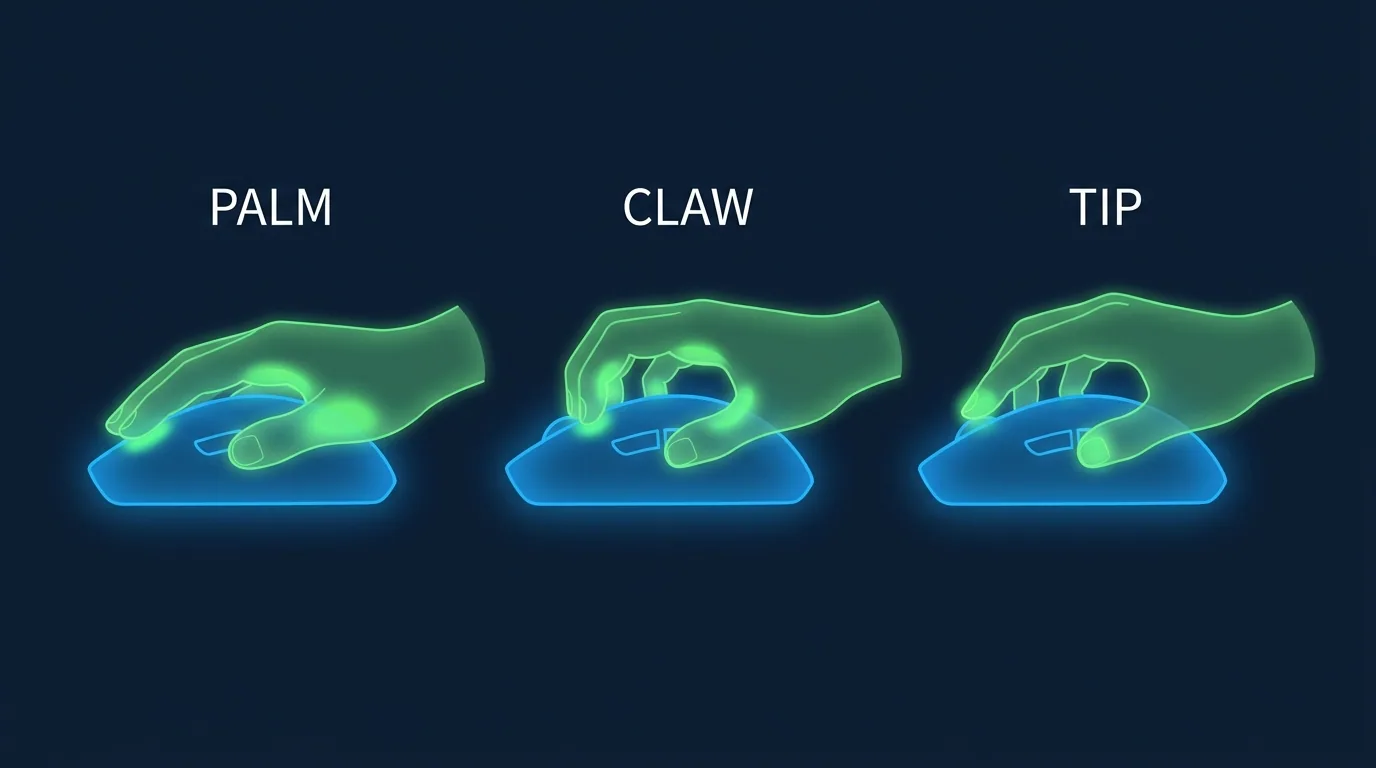


Why Your Mouse Grip Style Changes Everything
Your grip style is the foundation of your entire aim setup. It determines which muscles you use to move the mouse, how much control you have over micro-movements, what mouse shape will fit your hand, and what sensitivity range will feel natural. Getting your grip right is more impactful than any mouse upgrade.
The Three Main Mouse Grip Styles
Palm Grip
In palm grip, your entire palm rests flat on the mouse, all fingers lay along the buttons, and the mouse back contacts your palm heel. Movement is primarily driven by the arm, with shoulder and elbow rotation for large movements.
Characteristics:
- Most relaxed and comfortable for long sessions
- Best precision for slow, deliberate tracking (AWP, Operator)
- Slower flick speed due to arm muscle inertia
- Requires larger mice (length 125mm+) for proper contact
- Works best with higher cm/360 (50–80cm) and lower sensitivity
Pro example: NiKo (CS2) uses palm grip with the Logitech G Pro X Superlight 2 at 400 DPI / 1.4 sens = 560 eDPI / ~74 cm/360.
Claw Grip
In claw grip, the palm heel contacts the rear of the mouse, fingertips arch upward on the buttons, and the ring/pinky fingers curl against the side. It combines wrist and arm movement for a balance of speed and precision.
Characteristics:
- Best overall balance between control and speed
- Allows faster clicks due to arched finger position
- Medium fatigue during long sessions
- Works with medium mice (115–130mm length)
- Best with medium cm/360 (35–55cm)
Pro example: TenZ (Valorant) uses claw grip with the Lamzu Atlantis at 800 DPI / 0.3 sens = 240 eDPI / ~54cm/360.
Fingertip Grip
In fingertip grip, only the fingertips contact the mouse buttons and sides. The palm never touches the surface. Movement is almost entirely from wrist and finger micro-movements.
Characteristics:
- Fastest reaction time for close-range flicks
- Highest fatigue — not recommended for 6+ hour sessions
- Requires small, light mice (under 60g preferred)
- Works best with lower cm/360 (20–40cm) and higher sensitivity
- Most common among Valorant duelist players
Pro example: Genburten (Apex) uses fingertip grip with a light 55g mouse at 400 DPI / 4.0 sens.
How to Identify Your Natural Grip Style
- Place your mouse on your desk without overthinking it
- Close your eyes and reach for the mouse as you naturally would
- Open your eyes and observe where your palm contacts the mouse:
- Palm flat on the body = Palm grip
- Palm heel on rear, fingertips arched = Claw grip
- Only fingertips touching, palm floating = Fingertip grip
- This is your dominant natural grip — work with it, not against it
Sensitivity Recommendations by Grip
| Grip Style | Recommended cm/360 | Valorant eDPI | CS2 eDPI | Mouse Weight |
|---|---|---|---|---|
| Palm Grip | 50–80 cm | 160–250 | 400–650 | 55–80g acceptable |
| Claw Grip | 35–55 cm | 230–370 | 550–900 | 48–65g ideal |
| Fingertip Grip | 20–40 cm | 320–600 | 700–1400 | Under 55g preferred |
Mouse Shape Selection by Grip
Best Mice for Palm Grip
- Zowie EC2-CW — ergonomic right-handed, 73g, excellent palm contact
- Logitech G Pro X Superlight 2 — 60g, wider body for full palm coverage
- Razer DeathAdder V3 HyperSpeed — ergonomic, textured sides for grip
Best Mice for Claw Grip
- Lamzu Atlantis Mini Pro V2 — 48g, shorter body fits claw perfectly
- SteelSeries Prime Wireless — medium size, magnetic click mechanism for fast actuation
- Ninjutso Origin One X — ultralight, ideal claw size at 55g
Best Mice for Fingertip Grip
- Finalmouse Starlight — 42g, tiny footprint, fingertip optimized
- Razer Viper Mini Signature Edition — 49g, compact design
- Pulsar Xlite V3 Mini — 48g wired, smaller 120mm length
Can You Change Your Grip Style?
Yes — but it takes 30–60 days of deliberate practice to feel natural. Many players successfully transition from palm to claw for better click speed, or from fingertip to claw for better long-session endurance. The sensitivity change required during a grip transition is significant: expect your ideal eDPI to shift by 30–50% when transitioning between grip types.
If you decide to transition: use our eDPI calculator to establish your new starting sensitivity for the new grip, and commit entirely — don't alternate between grips during the adaptation period.
Mathematical Mechanics & Engine Formulas
Understanding aim physics requires breaking down how rendering engines calculate rotation vectors. In 3D space, mouse movement inputs map to angular rotation per count based on the game engine's specific yaw constant:
• CS2 / Source Engine Yaw Constant: 0.022° per count
• Apex Legends Yaw Constant: 0.022° per count
• Overwatch 2 Yaw Constant: 0.0066° per count
• Fortnite Yaw Constant: 0.005555° per count
• Formula: eDPI = Hardware DPI × In-Game Sensitivity
• Formula: cm/360 = (360 × 2.54) / (DPI × Sensitivity × Yaw)
By keeping your physical centimeters per 360 rotation (cm/360) consistent, you maintain identical physical hand travel across titles. However, when switching between different aspect ratios (16:9 vs 4:3 stretched) or vertical FOVs, you must apply 0% Monitor Distance Matching (Focal Length Scaling) to match optical tracking speed at screen center.
Esports Meta & Pro Player Benchmark Data
Looking at publicly available pro settings and general esports sensitivity trends:
- Tactical Shooters (Valorant / CS2): The median pro eDPI sits between 200 and 320 eDPI (approx. 40cm/360 to 65cm/360). Pro players prefer lower sensitivity to maximize micro-correction accuracy and first-bullet headshot precision.
- Tracking & Dynamic Shooters (Apex / OW2 / Fortnite): The median pro eDPI ranges from 2400 to 4800 eDPI in Source/OW2 terms (approx. 28cm/360 to 38cm/360). Higher sensitivity allows rapid 180° sweeps and smooth target tracking during erratic movement.
Step-by-Step Calibration & Actionable Implementation
- Disable Windows Mouse Acceleration: Open Windows Control Panel → Mouse Properties → Pointer Options → Uncheck "Enhance Pointer Precision". This ensures 1:1 raw input without non-linear velocity scaling.
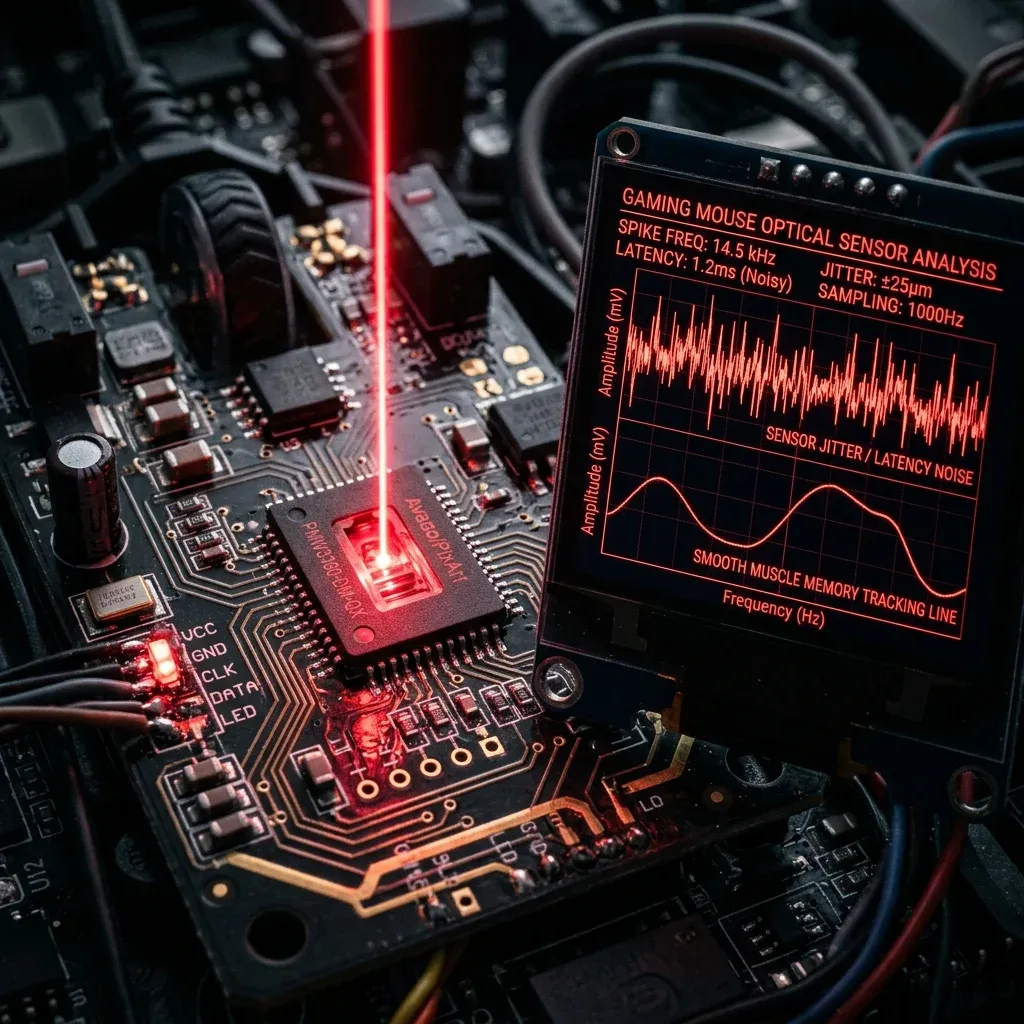
- Set Native Mouse DPI: Use 800 or 1600 DPI on modern optical sensors (PMW3395 / HERO 25K) to minimize sensor input latency by up to 2.5ms compared to 400 DPI while avoiding sensor smoothing.
- Calibrate Desk Space: Ensure your mousepad offers at least 450mm × 400mm of dynamic space. Your cm/360 should allow a full 180° turn from center to pad edge without lifting.
- Verify in Aim Trainers: Benchmark your target acquisition in KovaaK's or Aim Lab (Gridshot / Microflex) for 15 minutes to confirm zero overshoot or undershoot before entering ranked queues.
Frequently Asked Questions (FAQ)
Is higher DPI always better for aim?
Higher DPI (such as 1600 DPI) reduces input latency because the sensor sends motion packets more frequently per millimeter. However, going above 3200 DPI can introduce unwanted sensor noise or smoothing on certain optical sensors.
Should I match my hipfire sensitivity to my ADS sensitivity?
Yes! Utilizing 1:1 focal matching (0.847 in Valorant, 1.0 in CS2/Apex) aligns your focal muscle memory between hipfire aiming and scoped targeting.
Frequently Asked Questions
Which grip is best for FPS?
None is universally best. Palm grip gives the most stability and suits arm aiming at low sensitivity; claw gives faster clicking and a balance of control; fingertip gives the quickest micro-adjustments and suits higher sensitivity. Hand size and mouse shape decide more than preference does.
How do I know which grip I actually use?
Look at where your palm contacts the mouse. Full contact with the hump is palm; only the rear of the palm touching with arched fingers is claw; no palm contact at all is fingertip. Most players are somewhere between two of them, which is normal.
Should I change my grip to improve?
Rarely. Grip develops around your hand size and the mice you have used, and changing it costs months of calibration. The exception is a grip causing pain or forcing an awkward wrist angle — that is worth fixing regardless of aim.
Equipamentos de Elite Recomendados
Mouses ultra-leves topo de linha recomendados pelo Treinador Dalto para máxima precisão de sensor e consistência física no seu mousepad:
Logitech G Pro X Superlight 2
O mouse mais vencedor do cenário competitivo. Shape icônico, sensor HERO 2 e switches ópticos-mecânicos híbridos.
Razer Viper V3 Pro
Rastreador preciso com polling rate sem fio nativo de 8.000 Hz e formato simétrico ergonômico moderno.
Razer DeathAdder V3 Pro
Excelente para pegadas palm ou claw que querem apoio anatômico. Sensor Focus Pro 30K de última geração.
Lamzu Atlantis OG V2 / Thorn
Mouse boutique com peso irrisório e base vazada. Pegada traseira perfeita para controle agressivo de claw grip.
Dalto Outlier
Creator, DCPROSENSDalto built DCPROSENS to help competitive FPS players convert sensitivity, calibrate DPI, and keep their aim consistent across games.
Related Guides & Articles
Disclosure: some links on this page are affiliate links. As an Amazon Associate, DCPROSENS earns from qualifying purchases at no extra cost to you.

