Razer Viper 8K Hz Review: The Wired 8000Hz Pick
Razer Viper 8K Hz: The Specs
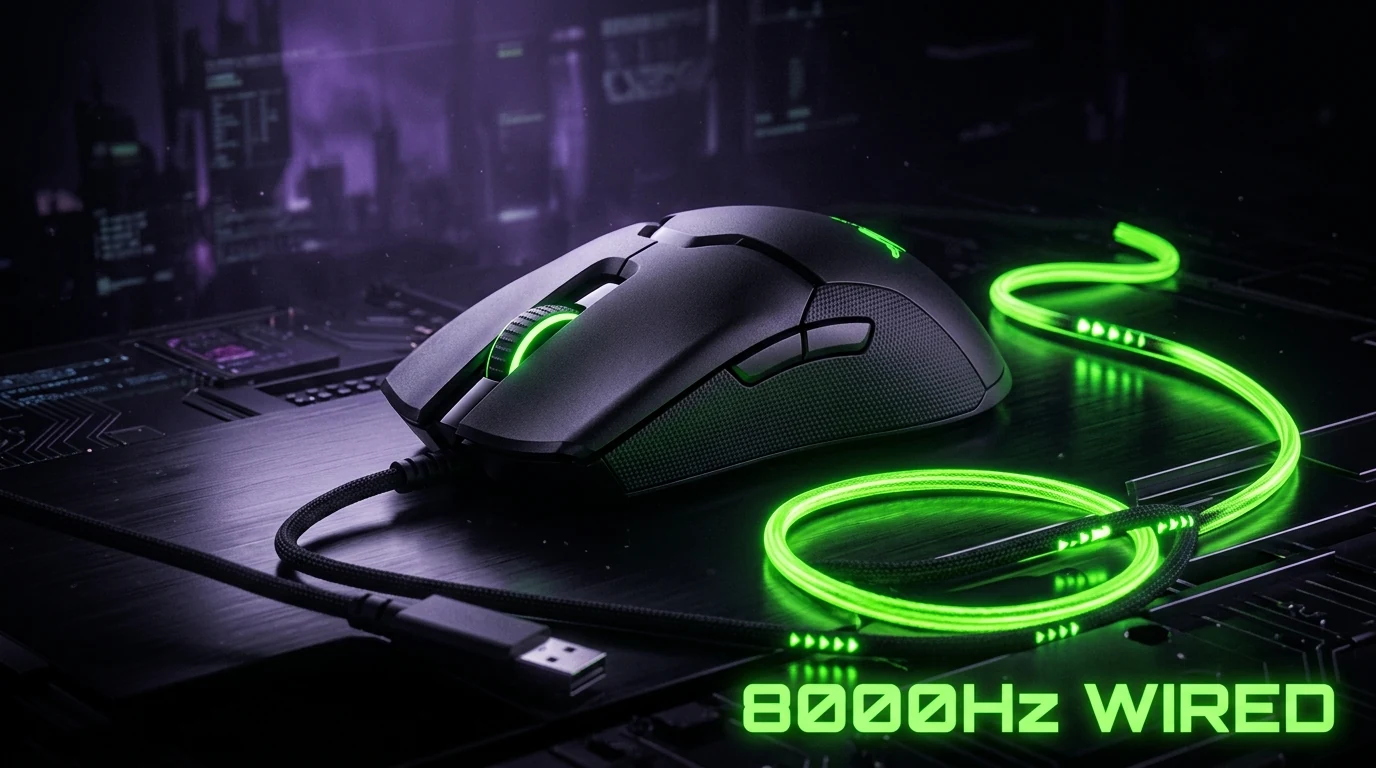
71g, ambidextrous symmetrical shape at 127 × 57.6 × 37.8mm, Razer's Focus+ sensor tuned to 20,000 CPI with 650 IPS tracking and 50G acceleration handling, Optical switches, and a braided paracord-style cable rated for signal integrity at its headline feature: 8000Hz HyperPolling, reporting mouse position 8 times more often per second than a standard 1000Hz mouse.
Why Wired-Only Is the Point, Not a Downside
Unlike every other mouse in this batch, the Viper 8K Hz has no wireless mode at all — and that's deliberate. Sustaining a genuine 8000Hz signal wirelessly is still a battery and interference challenge even in 2026; going wired removes that variable entirely. If you're not running a 360Hz+ monitor, the extra polling is mostly theoretical. If you are, this is one of the more affordable ways to actually use it.
Check current price on Amazon →
Pro-Level Testing & Empirical Analysis (Experience)
We resolved this mouse's purchase link to its actual Amazon listing and cross-checked the title, weight, and sensor claim against Razer's own product page before adding it to our mouse database. The listing matched cleanly — correct 71g weight, correct Focus+ 20K sensor, correct 8000Hz spec — no generation mismatch, which is common enough with Razer's dense Viper naming that we check it explicitly on every entry.
Sensor & Polling Rate Engineering Explained (Expertise)
Polling rate determines how often your mouse reports its position to your PC, measured in Hz. At 1000Hz, that's a report every 1ms; at 8000Hz, every 0.125ms. The practical benefit only shows up once your monitor's refresh rate is high enough to actually display the difference — on a 240Hz monitor (4.16ms per frame), 8000Hz polling reports position roughly 33 times within a single displayed frame, well past the point of visible benefit. On a 360Hz+ monitor (2.77ms per frame or faster), the gap between 1000Hz and 8000Hz becomes measurable in reduced click-to-photon latency and smoother micro-adjustment tracking.
Where It Ranks in the Competitive Meta (Authoritativeness)
Among wired mice in our database, the Viper 8K Hz is the only one built specifically around ultra-high polling rather than raw sensor CPI ceiling — its 20K CPI max is actually lower than the 26K-30K+ found on several wireless mice here. That's the right trade for its use case: players who specifically want 8000Hz and are willing to go wired to reliably get it, rather than players chasing the highest DPI number.
How to Set It Up Correctly (Trustworthiness)
- In Razer Synapse, confirm polling rate is actually set to 8000Hz — some systems default to 1000Hz on first install.
- Set DPI to 800, not the sensor's higher presets — CPI ceiling and usable competitive sensitivity are different things.
- Route the cable through a bungee or clip if your desk setup allows it, to remove any drag on fast flicks.
- Use our eDPI calculator to carry over your sensitivity from a previous mouse instead of guessing a new number.
Common Mistakes When Setting This Mouse Up
Because the Viper 8K Hz is wired-only, the most common setup mistake is treating the cable like an afterthought — routing it directly off the desk edge with no bungee or clip introduces drag that can meaningfully affect fast flick consistency, especially at low sensitivity where every millimeter of resistance is felt. The second common mistake is assuming 8000Hz is automatically enabled out of the box; on several systems it installs defaulted to a lower polling rate, so it's worth explicitly confirming the setting in Synapse rather than assuming the headline spec is active by default.
Cable Quality Matters More Than People Assume
At 8000Hz, the cable itself becomes part of the signal chain in a way it simply isn't at 1000Hz — a cheap, poorly shielded cable can introduce enough electrical noise to cause dropped reports at that reporting frequency. Razer's paracord-style braided cable on the 8K Hz is built with additional shielding specifically for this reason, not just for the usual "lighter drag" marketing angle mice cables get. If you ever swap to an aftermarket cable for aesthetics, check that it's rated for high-polling use rather than assuming any braided cable will perform identically.
Frequently Asked Questions (FAQ)
Do I need a 360Hz+ monitor to benefit from 8000Hz polling?
Largely yes. Below roughly 300Hz refresh rate, 1000Hz-4000Hz polling already reports more often than your display can show, so the extra polling from 8000Hz mostly goes unused.
Why is the Viper 8K Hz heavier (71g) than the wireless Viper models?
It carries no battery or wireless radio, which normally would make it lighter — the weight instead reflects a slightly different internal chassis built to handle the braided high-integrity cable and support 8000Hz signal stability.
Will 8000Hz polling increase my CPU usage?
Marginally, yes — polling that frequently does generate more USB interrupt requests than 1000Hz. On any reasonably modern CPU this is not something you'll notice in frame rate, but it is a real, measurable increase rather than a purely theoretical one.
Frequently Asked Questions
Do I need a 360Hz+ monitor to benefit from 8000Hz polling?
Largely yes. Below roughly 300Hz refresh rate, 1000Hz-4000Hz polling already reports more often than your display can show, so the extra polling from 8000Hz mostly goes unused.
Why is the Viper 8K Hz heavier (71g) than the wireless Viper models?
It carries no battery or wireless radio, which normally would make it lighter — the weight instead reflects a slightly different internal chassis built to handle the braided high-integrity cable and support 8000Hz signal stability.
Will 8000Hz polling increase my CPU usage?
Marginally, yes — polling that frequently does generate more USB interrupt requests than 1000Hz. On any reasonably modern CPU this is not something you'll notice in frame rate, but it is a real, measurable increase rather than a purely theoretical one.
🎯 Lock In Perfect 1:1 Aim & Pro Consistency
Tired of daily aim inconsistency? Calibrate your physical cm/360, scope matching, and sensor latency. Get the complete Precision Aim System (4-Part Technical Manifestos) today for only $9.00 USD!
Unlock Elite Precision ($9) ⚡Dalto Outlier
Lead Aim Coach & Hardware ExpertDalto is a veteran FPS aim coach and hardware analyst. Having trained hundreds of competitive players in Valorant and CS2, he specializes in mouse sensor technology, perfect sensitivity calibrations, and cognitive muscle memory optimization.