Complete Valorant Setup Guide 2026: Sens, Crosshair, DPI & Video Settings
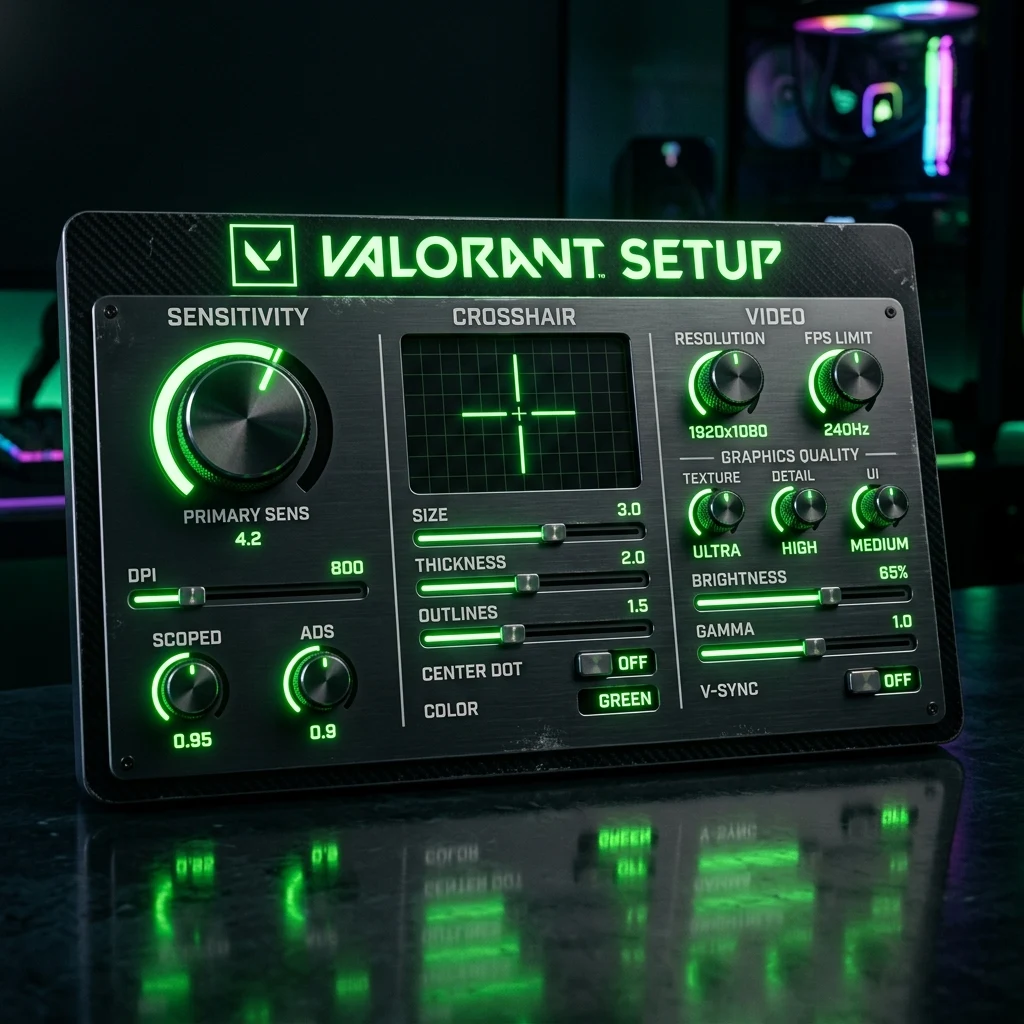
TL;DR
The complete, tournament-optimized Valorant configuration guide for 2026. Dial in your baseline eDPI (200–280), export pixel-perfect pro crosshairs, optimize NVIDIA Reflex low latency, and configure audio HRTF for instantaneous enemy localization.
The Foundation of Valorant Aim: eDPI & Raw Input Architecture
Valorant is a precision tactical shooter where engagements are decided in milliseconds by first-bullet headshots. Riot Games designed Valorant's custom Unreal Engine 4 architecture with strict competitive integrity in mind: horizontal FOV is locked to 103°, client-side tickrate is 128Hz, and mouse input reads directly through raw hardware buffers.
To compete at Immortal and Radiant ranks, your setup must eliminate hardware bottlenecks, visual clutter, and input latency. Here is the definitive guide to configuring your mouse sensitivity, crosshair, video options, and audio for peak performance in 2026.
Pro Sensitivity Baselines: The 200 to 280 eDPI Sweet Spot
In Valorant, sensitivity is universally measured in eDPI (DPI × In-Game Sensitivity). Over 80% of professional players competing in the VCT Champions circuit operate within the 200 to 280 eDPI bracket (equivalent to 46cm to 65cm per 360-degree turn):
Crosshair Masterclass: Contrast, Outlines & Firing Error
Your crosshair should provide instant spatial centering without obscuring distant enemy head pixels:
- Color: Cyan (#00ffff), Green (#00ff00), or White (#ffffff) with black outlines. Cyan offers the highest optical contrast against Valorant's red and purple enemy outline shaders.
- Static Dot Reticle: Center Dot Size 2, Opacity 100%, Outlines On (Thickness 1). Outstanding for pure Vandal tapping.
- Classic Thin Cross: 1-4-2-2 (Outlines On 1, Inner Lines 1-4-2-2, Outer Lines Off). The most copied crosshair across VCT professionals.
- Movement / Firing Error: Turn OFF. Dynamic reticle bloom adds visual clutter during spray transfers.
Competitive Video Settings: Maximum Frames & Zero Clutter
Configure your Video settings to maximize 1% low framerates and target clarity:
| Setting Name | Recommended Value | Competitive Rationale |
|---|---|---|
| Display Mode | Fullscreen | Bypasses Windows DWM composition buffer for lowest input lag. |
| Multithreaded Rendering | ON | Distributes draw calls across CPU cores; essential for 240FPS+. |
| Material / Texture Quality | Low / Medium | Keeps wall textures clean and distraction-free. |
| Detail / UI Quality | Low | Removes unnecessary decorative foliage from bomb sites. |
| V-Sync | OFF | Eliminates severe frame-pacing input buffer delay. |
| Anti-Aliasing | MSAA 2x or 4x | Smooths enemy model edges without the motion blur of FXAA. |
| Anisotropic Filtering | 4x or 8x | Crisp floor lines and distance clarity with near-zero GPU cost. |
| Improve Clarity | ON | Enhances mid-tone contrast for easier headshot recognition. |
| Bloom / Distortion / Shadows | OFF | Removes visual haze and particle glare during ability explosions. |
| RawInputBuffer | ON | Direct mouse reading; mandatory for 8000Hz polling mice. |
NVIDIA Reflex Low Latency: On vs. On + Boost
Set NVIDIA Reflex to On + Boost in the Video settings. This prevents GPU render queue latency and maintains GPU clock speeds at maximum frequency even during low-load utility rounds.
Audio & HRTF: 3D Spatial Sound Localization
In Audio Settings, enable Head-Related Transfer Function (HRTF). HRTF calculates simulated 3D acoustic head-shadowing, enabling you to pinpoint enemy defuses and footsteps behind smokes with extreme binaural precision.
Generate and export custom pro crosshairs with our Crosshair Generator and convert your sensitivity with the Universal Sensitivity Converter.
Frequently Asked Questions
Frequently Asked Questions
What's the best all-around Valorant setup for beginners?
A sensitivity of 800 DPI at 0.30 in-game (240 eDPI), a static cyan 1-4-2-2 crosshair, Fullscreen video mode, all graphic details set to Low with MSAA 2x, and NVIDIA Reflex set to On + Boost.
Should I use Vsync in Valorant?
No. Never enable V-Sync in competitive Valorant. V-Sync buffers frames to match your monitor refresh rate, introducing 15ms to 35ms of input lag that severely harms your reaction speed.
Equipamentos de Elite Recomendados
Mouses ultra-leves topo de linha recomendados pelo Treinador Dalto para máxima precisão de sensor e consistência física no seu mousepad:
Logitech G Pro X Superlight 2
O mouse mais vencedor do cenário competitivo. Shape icônico, sensor HERO 2 e switches ópticos-mecânicos híbridos.
Razer Viper V3 Pro
Rastreador preciso com polling rate sem fio nativo de 8.000 Hz e formato simétrico ergonômico moderno.
Razer DeathAdder V3 Pro
Excelente para pegadas palm ou claw que querem apoio anatômico. Sensor Focus Pro 30K de última geração.
Lamzu Atlantis OG V2 / Thorn
Mouse boutique com peso irrisório e base vazada. Pegada traseira perfeita para controle agressivo de claw grip.
🎯 Lock In Perfect 1:1 Aim & Pro Consistency
Tired of daily aim inconsistency? Calibrate your physical cm/360, scope matching, and sensor latency. Get the complete Precision Aim System (4-Part Technical Manifestos) today for only $9.00 USD!
Unlock Elite Precision ($9) ⚡Dalto Outlier
Creator, DCPROSENSDalto built DCPROSENS to help competitive FPS players convert sensitivity, calibrate DPI, and keep their aim consistent across games.


