

Controller Response Curves: Dynamic vs Linear vs Standard Explained
TL;DR
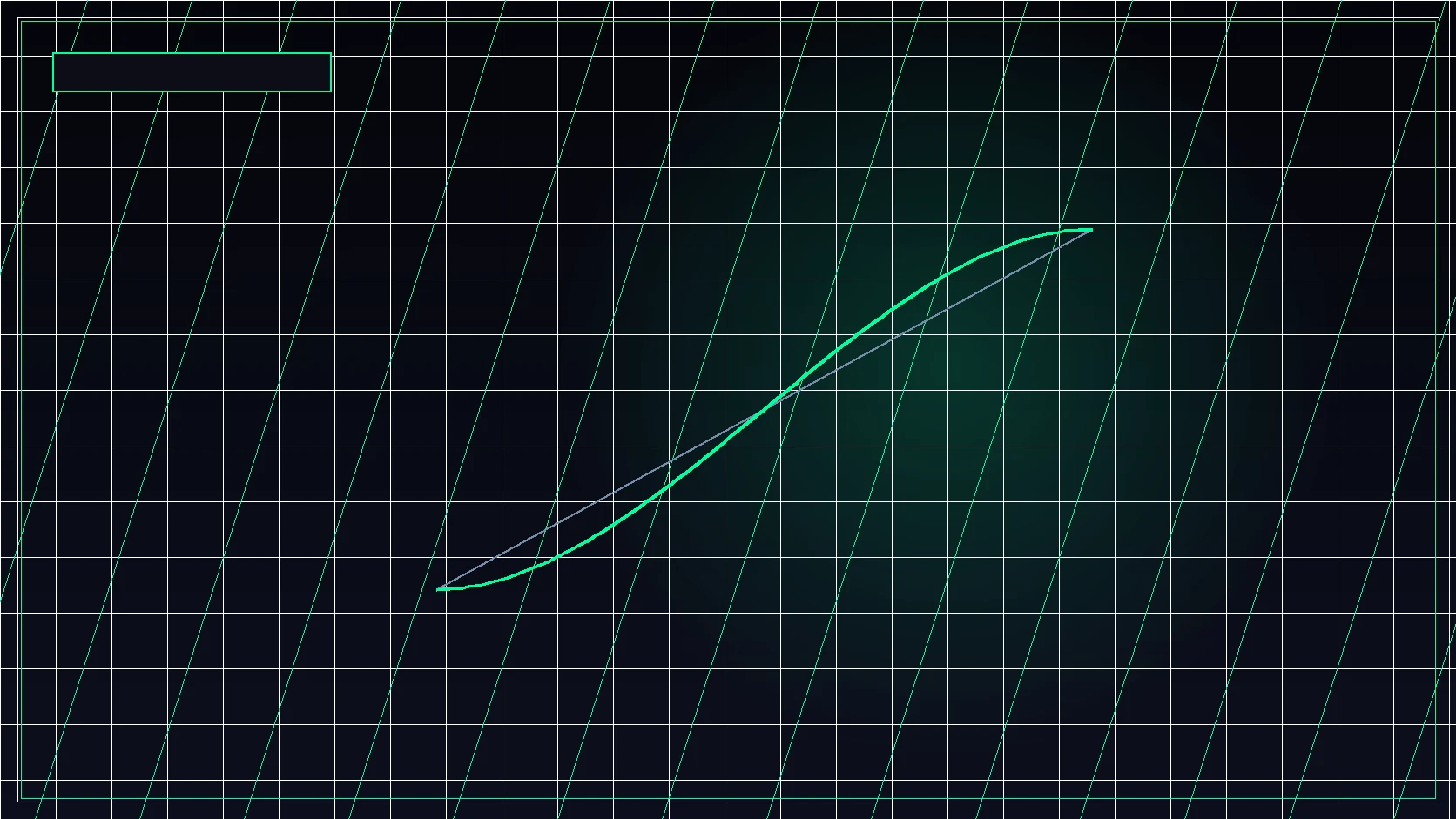
Response curves define the mathematical function between thumbstick deflection and in-game angular velocity. Standard uses an exponential curve, Linear maps stick tilt 1:1, and Dynamic applies a reverse S-curve for fast turns with tight micro-centering.


The Mathematical Function of Response Curves
Unlike a computer mouse—where movement distance is directly tied to sensor travel across a physical plane—a gamepad thumbstick has a finite physical tilt radius of roughly 8 to 10 degrees. To allow both micro-aiming adjustments and rapid 180° turns on the same stick, games employ a response curve: a mathematical transfer function that maps stick deflection percentage (input) to rotational yaw velocity (output).
The Three Primary Curve Architectures
| Curve Type | Mathematical Profile | Micro-Adjustment Feel | Best Suited For |
|---|---|---|---|
| Standard (Exponential) | Slow initial slope that ramps exponentially at stick perimeter | Heavy, cushioned center feel | Casual players and long-range DMR engagements |
| Linear (1:1 Raw) | Straight 45° angle (Output = Input directly) | Instant, raw sensitivity response | Apex Legends (Classic 4-3 Linear), close-quarters recoil tracking |
| Dynamic (Reverse S-Curve) | Fast initial response, stabilized mid-range, aggressive max-turn | Crisp flick initiation with stable aim assist centering | Call of Duty, Warzone, aggressive slide-canceling gameplay |
Why Dynamic Dominates Competitive Call of Duty
Rotational Aim Assist (RAA) activates when you introduce movement and aim stick input within an opponent's aim-assist bubble. The Dynamic curve's reverse S-curve geometry allows players to initiate a camera snap rapidly with modest stick deflection, and then quickly settle into the flattened mid-curve region where aim assist rotational magnetism can lock onto moving silhouettes without overshooting.
Calibrating Hall-Effect vs Standard Potentiometers
Modern hall-effect magnetic sensors eliminate physical carbon wiper wear, meaning you can lower your inner deadzone down to 1–2% without drift. When switching to a hall-effect controller, test your response curves in a private firing range before jumping into ranked play.
Convert your controller and mouse sensitivities seamlessly across games with the DCPROSENS Universal Calculator.
Master Rotational Aiming & Fine Stick Control
Learn targeting dynamics and tracking mechanics in The Ultimate Sensitivity Guide, or get personalized controller & mouse tuning in the DCPROSENS 360° VIP Overhaul.
Frequently Asked Questions
Why do so many Warzone and CoD pros use the Dynamic response curve?
Dynamic applies an inverse S-curve: it ramps initial turn acceleration quickly for fast target snapping, but flattens around mid-deflection to give rotational aim assist a stable tracking window.
Is Linear better than Dynamic for pure muscle memory?
Yes. Linear provides true 1:1 input without algorithmic acceleration, mimicking raw mouse movement. However, it requires precise stick tension control and minimal deadzones.
What stick deadzone should I use on controller?
Set your minimum deadzone as low as possible without experiencing uncommanded stick drift (typically between 0.02 and 0.05 on modern hall-effect or calibrated potentiometer sticks).
🎯 Lock In Perfect 1:1 Aim & Pro Consistency
Tired of daily aim inconsistency? Calibrate your physical cm/360, scope matching, and sensor latency. Get the complete Precision Aim System (4-Part Technical Manifestos) today for only $9.00 USD!
Unlock Elite Precision ($9) ⚡Dalto Outlier
Creator, DCPROSENSDalto built DCPROSENS to help competitive FPS players convert sensitivity, calibrate DPI, and keep their aim consistent across games.
Related Guides & Articles



Disclosure: some links on this page are affiliate links. As an Amazon Associate, DCPROSENS earns from qualifying purchases at no extra cost to you.

