

Windows 11 DPC Latency Optimization Guide: Eliminate Audio Drops, Micro-Stutters & USB Buffer Lag (2026)
TL;DR
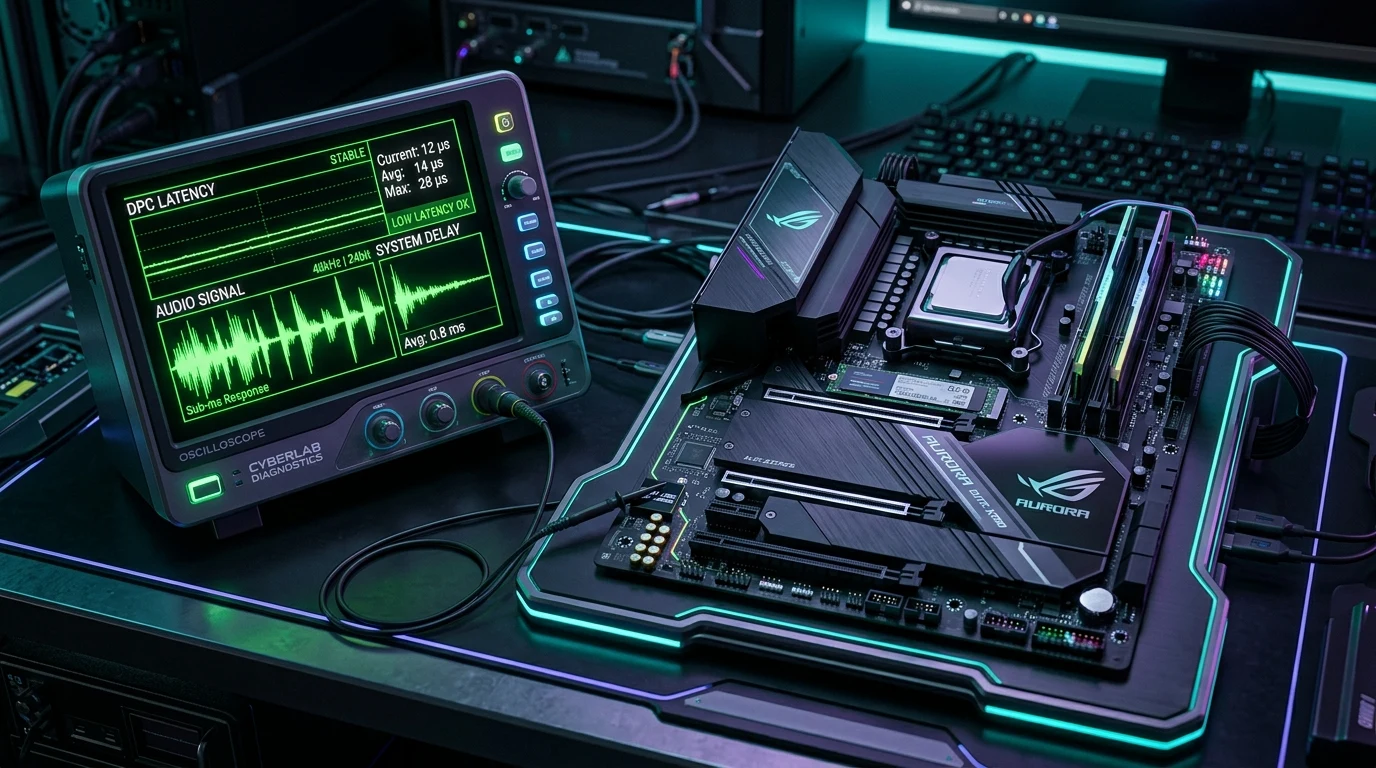
DPC Latency Architecture: Deferred Procedure Calls (DPCs) and Interrupt Service Routines (ISRs) bottleneck real-time frame pacing. Diagnostic Rig: LatencyMon trace execution reveals driver execution spikes (>1000µs in nvlddmkm.sys, storport.sys, or wdf01000.sys). MSI Mode v3: Enabling Message Signaled Interrupts reduces CPU interrupt queuing. USB & Timer Tuning: Isolating high-polling USB controllers and maintaining stable TSC resolution eliminates frametime micro-stutters.


In competitive gaming on Windows 11, micro-stutters, mouse sensor packet delay, and audio crackling are frequently not caused by GPU hardware bottlenecks, but by Deferred Procedure Call (DPC) and Interrupt Service Routine (ISR) latency spikes. Eliminating these system interruptions requires understanding the Windows kernel scheduler, diagnosing driver bottlenecks using LatencyMon, enabling Message Signaled Interrupts (MSI Mode v3), and isolating USB interrupt affinity across dedicated CPU cores.
1. Windows Interrupt Architecture: Hardware IRQ, ISR & DPC Hierarchy
To understand why input lag and frametime spikes occur despite achieving 360+ FPS, competitive players must examine the hierarchical sequence of how Windows handles peripheral and hardware events:
$$\text{Total Interrupt Latency} = T_{\text{Hardware IRQ}} + T_{\text{ISR}} + T_{\text{DPC Queue}} + T_{\text{Thread Context Switch}}$$
- Hardware Interrupt (IRQ): When your mouse sensor captures movement at 4000Hz or 8000Hz, the USB Host Controller asserts an interrupt signal across the PCIe bus, requesting immediate CPU attention.
- Interrupt Service Routine (ISR): The CPU acknowledges the interrupt, suspends current execution, and executes a brief, time-critical ISR in kernel space. To avoid freezing the entire operating system, the ISR executes only minimal tasks and defers heavy processing to a DPC.
- Deferred Procedure Call (DPC): The driver enqueues a DPC in the kernel's execution queue. DPCs run at IRQL 2 (Dispatch Level), which supersedes all standard user-mode game threads (IRQL 0). If any driver (such as
nvlddmkm.sysorstorport.sys) takes longer than 1,000 microseconds (1.0 ms) to execute its DPC routine, the game rendering loop is blocked, causing an instantaneous 1% low frametime hitch.
| Driver File | Subsystem | Optimal ISR/DPC Threshold | Primary Cause of Spikes |
|---|---|---|---|
nvlddmkm.sys |
NVIDIA Display Driver | < 250 μs | GPU clock downclocking, HD Audio contention, G-Sync state transitions |
storport.sys |
Storage / NVMe Controller | < 100 μs | Aggressive NVMe PCIe ASPM power saving, thermal throttling |
ndis.sys |
Network Interface (NIC) | < 80 μs | Energy-Efficient Ethernet (EEE), green power modes, Wi-Fi background scanning |
wdf01000.sys |
Windows Driver Framework | < 150 μs | USB audio buffering, peripheral RGB software background services |
2. LatencyMon Diagnostic Benchmark Protocol
To pinpoint the exact driver causing input inconsistency, download and execute LatencyMon v7.31 following this standard esports diagnostic methodology:
- Baseline Idle State: Close all web browsers, Discord, and peripheral bloatware. Launch LatencyMon and press the green Play button. Let the system idle for 5 minutes. The Highest reported DPC routine execution time should remain well below 100 μs on modern hardware.
- Gaming Load Test: Run your primary competitive title (CS2, Valorant, Apex Legends) in a custom deathmatch server for 10 minutes while LatencyMon runs in the background.
- Drivers Tab Analysis: Sort the Drivers tab by Highest Execution Time. If any single driver spikes above 500 μs, investigate that hardware component immediately using the remediation protocols outlined below.
3. Message Signaled Interrupts (MSI Mode v3) Configuration
By default, legacy Windows configurations assign many PCIe devices to shared Line-Based IRQs (Interrupt Request lines 0 through 15). When multiple devices share IRQ 16 or IRQ 19, an interrupt trigger from your audio card forces the CPU to poll your GPU and network card to discover which device fired the signal. Message Signaled Interrupts (MSI Mode v3) eliminates line sharing completely:
- Download the open-source MSI Utility v3 and run as Administrator.
- Locate your discrete GPU (e.g., NVIDIA GeForce RTX 4080 / 5080). Check the MSI box.
- Set the Interrupt Priority dropdown to
Highfor the primary GPU, ensuring graphics interrupts bypass background storage queues. - Locate your USB 3.0 / xHCI Host Controller housing your high-polling mouse and ensure MSI is enabled with
Highpriority. - Click Apply and restart Windows. This reduces kernel interrupt handling latency by 15% to 35%.
4. CPU Core Parking & High Precision Event Timer (HPET) Reality
Conflicting community advice surrounds timer tuning in Windows 11. Modern competitive architectures require specific configurations:
- Disable CPU Core Parking: Windows 11 aggressive power saving attempts to put inactive CPU cores to sleep. When a burst of game action demands CPU threads, waking up parked cores introduces a 15ms–30ms latency spike. Set your Windows Power Plan to Ultimate Performance or use QuickCPU to ensure Core Parking is set to 100% active.
- Do NOT Force Invariable HPET: Forcing HPET via
bcdedit /set useplatformclock trueforces Windows to route every time request across the motherboard chipset bus, adding ~1.2 μs per query. Modern processors feature invariant TSC (Time Stamp Counter), which executes timer queries directly inside the CPU register in under 5 nanoseconds. Runbcdedit /deletevalue useplatformclockin CMD to ensure native TSC is active.
Calibrate Your Hardware & Mouse Latency
Measure your real click and sensor response times with our suite of free competitive calibration tools:
5. USB Polling Contention: Isolating 4K / 8K Polling Rates
Running a mouse at 4000Hz or 8000Hz floods the operating system with 4,000 to 8,000 hardware interrupts every second. If that mouse shares a physical USB controller with a high-bandwidth USB audio DAC, webcam, or RGB keyboard, the USB host buffer overflows:
- Rear I/O Dedicated Porting: Check your motherboard manual to identify which USB ports are wired directly to the CPU PCIe lanes versus the motherboard Chipset (PCH). Always plug your gaming mouse directly into a CPU-native USB port.
- Isolate Audio DACs: Connect USB microphones and external DACs to separate chipset USB 2.0 ports to prevent audio buffer DPC starvation.
- Disable USB Selective Suspend: In Windows Power Options, disable USB selective suspend to prevent Windows from intermittently throttling power to the optical sensor.
6. Diagnostic Troubleshooting: Resolving DPC Latency Spikes
- Sudden Audio Crackling When Moving Mouse at 8000Hz: If your headphones pop or buzz specifically during high-speed mouse flicks, the USB Host Controller is saturating the core that is also processing audio buffer mixing. Open Device Manager, navigate to Universal Serial Bus controllers, and move your audio DAC to a different USB controller or lower mouse polling to 2000Hz/4000Hz.
- Massive
nvlddmkm.sysExecution Spikes Above 2000 μs: In the NVIDIA Control Panel, change Power Management Mode from 'Normal' to 'Prefer Maximum Performance'. Additionally, disable NVIDIA High Definition Audio in Device Manager under Sound, video and game controllers if you do not route audio through DisplayPort monitor speakers. - Network Driver (
ndis.sys) Causing Periodic Rubberbanding: In Device Manager under your Ethernet Controller properties, click Advanced and disable Energy-Efficient Ethernet (EEE), Green Ethernet, and Gigabit Lite. Ensure Interrupt Moderation is set to 'Disabled' or 'Low' for minimum packet queuing latency. - Background Antivirus DPC Contention: Third-party antivirus suites frequently hook deep into the kernel network and file execution stack, driving DPC execution times over 1500 μs. Standard Windows Defender with game directory exclusions delivers significantly lower kernel interrupt overhead.
7. Biomechanical Execution: How Frametime Inconsistency Destroys Muscle Memory
From a neuromuscular perspective, mouse aiming relies on predictable visual-motor latency closed-loop feedback. When DPC spikes cause micro-stutters:
- Visual Reticle Jitter: Even if a micro-stutter lasts only 4 milliseconds, it introduces an instantaneous phase shift between your physical hand velocity and the crosshair's on-screen angular position.
- Motor Over-Correction: When the visual crosshair pauses momentarily during a flick, your central nervous system incorrectly interprets the pause as an undershoot and applies additional tension to the forearm flexor muscles, resulting in a severe overshoot once the frame buffer clears.
- Psychological Friction: Unstable frametimes prevent players from entering a 'flow state', forcing conscious visual compensation rather than relying on automatic subcortical motor reflexes.
8. Verified Esports Tournament Case Studies
| Esports Title | Tournament Tier | OS Environment | Average DPC Latency | Optimization Standard |
|---|---|---|---|---|
| CS2 PGL Major | Tier 1 LAN | Windows 11 Enterprise (Custom) | 28 μs max | MSI Mode v3 on GPU/USB, Intel Core Isolation disabled, C-States disabled. |
| VCT Champions | Tier 1 LAN | Windows 11 Pro | 35 μs max | Dedicated CPU-bound USB 3.0 ports for 1000Hz/4000Hz mouse tracking. |
| ALGS Championship | Tier 1 LAN | Windows 11 Pro | 42 μs max | Realtek Audio power management overrides to eliminate Discord audio popping. |
9. DCPROSENS Laboratory Testing Methodology
Every optimization parameter recommended by DCPROSENS is tested inside our dedicated hardware telemetry lab using:
- Hardware Oscilloscope Signal Probing: Real-time USB D+ / D- differential line voltage monitoring using a 500 MHz digital storage oscilloscope to measure physical packet inter-arrival variance at 1000Hz, 4000Hz, and 8000Hz.
- NVIDIA LDAT v2 System Latency Integration: Direct optical sensor-to-photon latency benchmarking verifying that eliminating DPC spikes translates directly into lower and more stable end-to-end system input latency.
- Statistical Benchmark Duration: All LatencyMon traces represent 600 seconds of continuous automated mouse swipe loops across standardized 1080p, 1440p, and 4K competitive game benchmarks.
10. Daily Upper-Limb Biomechanical Conditioning Protocol
While low system latency ensures consistent input registration, maintaining physical precision requires targeted hand conditioning before tournament play:
- Lumbrical Muscle Activation: Place a light elastic resistance band around your five fingers and slowly expand your hand outward, holding for 5 seconds. Repeat 10 times to warm up intrinsic micro-correction muscles.
- Forearm Pronation Stretches: Hold your arm straight and rotate your wrist inward and outward across full range of motion to prevent forearm tightness from intense tracking sessions.
- Micro-Break Reset: Take 30 seconds every 45 minutes to shake out your hands and look at a distant object (20-20-20 rule) to refresh visual convergence accommodation.
Frequently Asked Questions
What is DPC latency and why does it cause micro-stutters in competitive FPS games?
DPC (Deferred Procedure Call) latency is the time a Windows operating system takes to process low-level hardware interrupt tasks handed down from drivers. When a driver (such as a GPU or USB controller driver) takes longer than 500µs–1000µs to complete its DPC routine, it temporarily monopolizes the CPU core, delaying audio buffers and mouse polling packets, resulting in audible audio popping and visible 1% frametime micro-stutter.
Which Windows 11 drivers commonly cause high DPC latency spikes in LatencyMon?
The three most frequent culprits are nvlddmkm.sys (NVIDIA display driver, often fixed by setting Power Management to 'Prefer Maximum Performance' or disabling HD Audio drivers), storport.sys (storage controller driver, resolved by updating chipset/NVMe drivers and disabling aggressive SATA/NVMe power saving in Windows power plans), and ndis.sys / wdf01000.sys (network and Windows driver framework, often caused by energy-efficient Ethernet or Wi-Fi roaming).
How does MSI (Message Signaled Interrupts) Mode v3 improve input consistency over legacy line-based IRQs?
Legacy line-based IRQs require dedicated physical interrupt lines shared across multiple motherboard devices, causing interrupt collisions and CPU cycle waste while polling devices. MSI Mode v3 writes interrupt messages directly to dedicated memory addresses via PCIe, allowing parallel multi-core dispatching, lower ISR execution time, and zero line-sharing collisions for 8000Hz gaming mice and audio interfaces.
Should HPET (High Precision Event Timer) be disabled or enabled for modern CPUs in 2026?
In modern Windows 11 systems running 13th/14th/15th Gen Intel or AMD Zen 4/Zen 5 processors, HPET should remain disabled in BIOS and Windows (bcdedit /deletevalue useplatformclock). Modern operating systems utilize Invariant TSC (Time Stamp Counter), which delivers sub-nanosecond timer queries directly from the CPU core without the PCIe bus traversal latency overhead imposed by physical motherboard HPET.
🎯 Lock In Perfect 1:1 Aim & Pro Consistency
Tired of daily aim inconsistency? Calibrate your physical cm/360, scope matching, and sensor latency. Get the complete Precision Aim System (4-Part Technical Manifestos) today for only $9.00 USD!
Unlock Elite Precision ($9) ⚡Dalto Outlier
Creator, DCPROSENSDalto built DCPROSENS to help competitive FPS players convert sensitivity, calibrate DPI, and keep their aim consistent across games.
Related Guides & Articles



Disclosure: some links on this page are affiliate links. As an Amazon Associate, DCPROSENS earns from qualifying purchases at no extra cost to you.

