Why GTA 6 Runs at 30 FPS on PS5 Pro: CPU Bottlenecks, PSSR & Best TV Settings
TL;DR
Rockstar confirmed GTA 6 does not run at 60 FPS even on PS5 Pro. Here is the technical reason behind the CPU bottleneck, what PS5 Pro actually improves, and the best TV settings for smooth 30 FPS.


Let's get the biggest launch-day headline out of the way immediately: Grand Theft Auto VI does not have a 60 FPS mode on PlayStation 5 Pro. After months of speculation that Sony's mid-generation powerhouse would magically unlock double the frame rate in Vice City, both Rockstar Games and technical breakdowns from Digital Foundry confirmed what hardware engineers had been warning about for a year—GTA 6 runs locked at 30 FPS across PS5, PS5 Pro, and Xbox Series X|S (TweakTown).
If you dropped $700 on a PS5 Pro specifically for GTA 6, it is totally fair to feel a sting of disappointment. But once you look under the hood at why even a 40 FPS mode proved too difficult to hit without gutting the world, the picture gets a lot clearer—and the visual upgrades PS5 Pro actually delivers are far from trivial.
Quick Verdict: Why PS5 Pro Can't Hit 60 FPS in GTA 6
- The Bottleneck Is the CPU, Not the GPU: While the PS5 Pro received a massive GPU upgrade and Sony's AI-driven PSSR upscaling, its Zen 2 CPU architecture is nearly identical to the base 2020 PS5 (with only a modest ~10% high-frequency clock bump).
- Simulation Load Scales With Frame Rate: Doubling frame rate from 30 FPS to 60 FPS halves the CPU frame budget from 33.3 milliseconds to 16.6 milliseconds. In a game simulating dense Vice City traffic, persistent police recognition, dynamic weather, wildlife ecosystems, and hundreds of independent NPC routines simultaneously, cutting CPU time in half without stripping out crowds is physically impossible on Zen 2 silicon.
- **What PS5 Pro Does Give You:** Higher native internal resolution, cleaner image reconstruction via PSSR, denser ray-traced lighting stability, and rock-solid frame pacing at 30 FPS.
Understanding the CPU vs. GPU Wall in Leonida
Most gamers assume that if a console has a stronger graphics card, it should automatically run games at a higher frame rate. That holds true in corridor shooters or linear action games where the GPU is doing 90% of the heavy lifting drawing pixels and shaders.
Grand Theft Auto VI is a completely different beast. Every single frame, the console's processor has to calculate:
- Dense AI & Crowd Simulation: Pedestrians holding conversations, reacting to weather, filming events on phones, and commuting across a map larger than GTA IV, GTA V, and Red Dead Redemption 2 combined.
- Advanced Ray-Tracing BVH Structures: Even though ray-traced reflections and global illumination are rendered on the GPU, building and updating the bounding volume hierarchy (BVH) for moving cars, dynamic storefronts, and destructible props hammers the CPU every frame.
- Physics & Streaming Across Over 200 GB of Assets: Driving a supercar at 200 mph down Vice City's beachfront while streaming detailed enterable interiors in real time leaves almost zero headroom on an eight-core Zen 2 chip.
As Digital Foundry noted when analyzing the game's technical demands (TweakTown), even a 40 FPS mode on 120Hz displays—which drops the frame time budget from 33.3 ms to 25 ms—would have required noticeable cutbacks to simulation density or world detail that Rockstar refused to compromise at launch.
PS5 vs. PS5 Pro vs. Xbox Series X|S: How the Consoles Compare
Even without 60 FPS, the PS5 Pro remains the sharpest place to play GTA 6 until the PC version arrives in Q1 2027 (GamesBeat).
| Feature / Spec | PlayStation 5 Pro | Base PS5 & Xbox Series X | Xbox Series S |
|---|---|---|---|
| Target Frame Rate | Locked 30 FPS | Locked 30 FPS | Locked 30 FPS |
| Upscaling / Image Quality | Highest fidelity + PSSR upscaling | High 4K dynamic reconstruction | Lower internal res + upscaling |
| Ray Tracing | Full RT lighting & reflections | RT lighting & reflections | Surprising RT lighting support |
| Frame Pacing Stability | Most consistent across heavy chaos | Strong, occasional minor dips | Playable with lighter crowd/LOD |
| Best For | 65"+ 4K OLED/Mini-LED setups | Mainstream 4K living room play | Budget entry into Leonida |
Reviewers who logged over 100 hours on PS5 Pro noted that Rockstar's frame pacing at 30 FPS feels noticeably smoother than typical choppy 30 FPS console releases because the frame delivery stays consistent rather than bouncing wildly between 24 and 30 FPS.
Does 30 FPS Actually Ruin GTA 6?
Honest answer: it depends on your last three games. If you are coming straight off 240Hz Valorant or Counter-Strike 2 on PC, the first twenty minutes in Vice City will feel noticeably heavier when whipping the camera around indoors. Your eyes genuinely need an adjustment period.
After an hour, though, two things kick in. First, GTA 6 uses Rockstar's refined per-object motion blur and weighty animation blending—Jason and Lucia move faster than Arthur Morgan in RDR2 while carrying more physical inertia than GTA V's trio—which naturally masks 30 FPS judder during driving and gunfights. Second, GTA has always launched at 30 FPS on its debut console generation (GTA IV, GTA V, and Red Dead Redemption 2 all did the exact same thing before hitting 60+ FPS on PC and next-gen hardware).
Best TV & PS5 Pro Settings to Make 30 FPS Feel Smoother
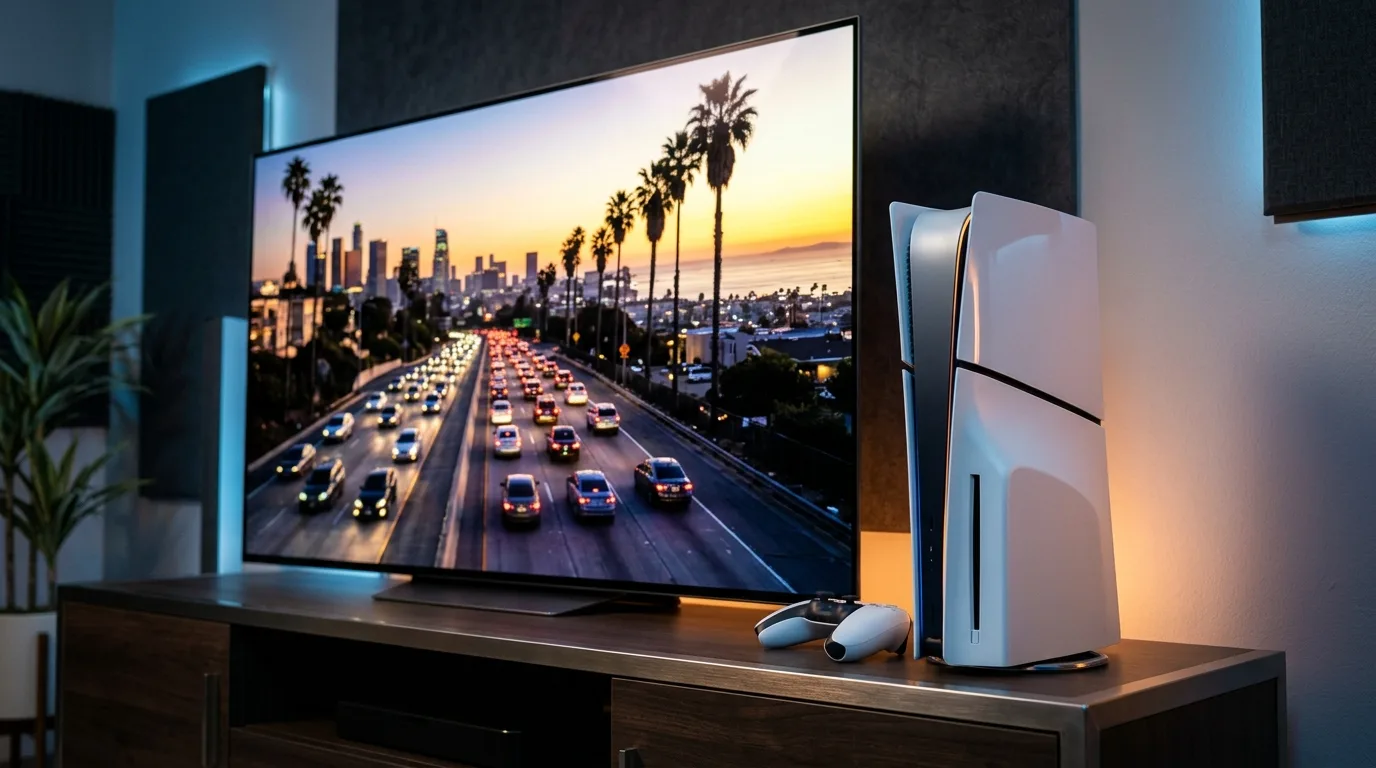
You cannot force 60 FPS on console, but poor TV settings can easily make 30 FPS look twice as stuttery as it actually is—especially on OLED panels with instantaneous pixel response times. Dial in these settings before starting the campaign:
- Keep Game Mode ON (Low Input Lag): Never switch to Cinema or Vivid mode with heavy soap-opera motion interpolation; the input delay turns driving and aiming into mud.
- Test Your OLED's Subtle De-Judder Only If Needed: On LG C-series/G-series or Samsung QD-OLED TVs, some players tolerate OLED's sample-and-hold stutter better with Game Optimizer's built-in low-latency smoothing or by sitting slightly farther from the screen during fast camera pans.
- Leave GTA 6's Motion Blur Enabled (Low/Default): Turning motion blur completely off at 30 FPS exposes raw frame-to-frame judder when rotating the camera. Keeping per-object motion blur on bridges the 33.3 ms gap naturally.
- Calibrate HDR Peak Brightness Carefully: Leonida's neon nightlife and blinding Florida midday sun are designed around wide HDR contrast. Run the PS5's system-level HDR calibration tool first, then fine-tune in-game paper white so neon signs pop without washing out sky detail.
- Enable 120Hz Output on PS5 Anyway (If Supported): Even in a 30 FPS container, running a 120Hz HDMI 2.1 signal can shave a few milliseconds off display scanout latency on modern TVs.
Should You Buy a PS5 Pro Now or Wait for GTA 6 on PC?
If you already own a base PS5 or Xbox Series X, upgrading solely for GTA 6 is a luxury visual bump rather than a gameplay game-changer—both consoles play the exact same 30 FPS simulation. On the other hand, if you don't own a current-gen console yet and refuse to wait until Q1 2027 for the PC version (GamesBeat), the PS5 Pro delivers the cleanest image quality available on Day 1.
And if you are a die-hard high-refresh-rate PC player? Waiting for 2027—when modern Ryzen X3D and Intel CPUs combined with DLSS/FSR Frame Generation will shatter the 30 FPS ceiling—is the only way you are going to experience Vice City at 60 to 120+ FPS.
Frequently Asked Questions
Will Rockstar patch a 60 FPS Performance Mode into PS5 Pro later?
Rockstar has not promised a 60 FPS patch for current consoles. Because the limit stems from the PS5 Pro's Zen 2 CPU rather than raw GPU horsepower, a locked 60 FPS mode on PS5 Pro is unlikely without major compromises to traffic and AI simulation.
Does GTA 6 support VRR (Variable Refresh Rate) on PS5 Pro?
PS5's standard HDMI Forum VRR window operates between 48Hz and 120Hz, so a locked 30 FPS game sits below the native VRR floor unless a developer implements Low Framerate Compensation (LFC). Stability therefore relies on Rockstar's tight 30 FPS frame-pacing cap.
What is the biggest difference between PS5 and PS5 Pro in GTA 6?
Image clarity and stability. PS5 Pro leverages its stronger GPU and PSSR upscaling to maintain sharper resolution, cleaner distant foliage/skyscrapers, and steadier ray-traced lighting across demanding Vice City scenes.
Dalto Cardoso (Dalto Outlier)
✓ Verified Founder, DCPROSENSSoftware developer and founder of DCPROSENS (DCOUTLIER). Dalto engineers precision sensitivity calculators, yaw telemetry databases, and hardware calibration guides for competitive FPS players.
Related Guides & Articles
Disclosure: some links on this page are affiliate links. As an Amazon Associate, DCPROSENS earns from qualifying purchases at no extra cost to you.