Mouse Grip Styles Explained: Palm vs. Claw vs. Fingertip (2026)
TL;DR
Your mouse grip style dictates your biomechanical pivot points, flick speed, vertical micro-adjustment range, and muscle fatigue. Here is the comprehensive guide to Palm, Claw (Relaxed & Aggressive), and Fingertip grips, including mouse shape synergies and pro player choices.
Biomechanics of Hand Anatomy: The Four Aiming Pivots
Aiming a gaming mouse is an intricate biomechanical chain involving four distinct anatomical pivot points:
- Shoulder Pivot: Large muscle groups used for wide 180-degree camera swipes and resetting mouse center.
- Elbow Pivot: Medium muscle group used for horizontal angle clearing and broad tracking arcs.
- Wrist Pivot: High-speed pivot for flicking across 30-to-60 degree screen arcs.
- Finger/Knuckle Pivots: Fine motor micro-adjustments for vertical recoil control and pixel-level headshot corrections.
Your mouse grip style determines which of these pivot points remain active during high-pressure firefights.
Palm Grip: Maximum Contact & Supreme Tactical Stability
In a Palm Grip, your entire palm rests flat against the top shell of the mouse, with your index and middle fingers lying completely flush against the primary click buttons.
- Pros: Maximum contact surface provides unparalleled crosshair stability, zero hand fatigue during marathon sessions, and natural synergy with low-sensitivity arm aiming (50cm+ per 360).
- Cons: Eliminates finger micro-adjustments entirely; vertical recoil control must be driven by pulling the entire wrist or forearm backward.
- Ideal Mouse Shapes: Large ergonomic right-handed shells with high center/rear humps (e.g., Razer DeathAdder V3 Pro, Zowie EC2-CW, Vaxee Outset AX).
Claw Grip: The Competitive Esports Hybrid
The dominant grip style among modern FPS professionals, Claw Grip anchors the base of your palm (or knuckles) against the rear hump while arching your fingers in a claw-like shape so only the fingertips contact the click switches.
- Relaxed Claw: Light palm contact with moderate finger arch. Balances stability with fast clicking.
- Aggressive Claw: Tight finger arch with steep curvature. Maximizes flick snap speed and rapid click actuation.
- Ideal Mouse Shapes: Symmetrical mice with medium rear humps and tapered waists (e.g., Lamzu Maya X, Pulsar X2V2, Endgame Gear OP1 8k, Zowie U2).
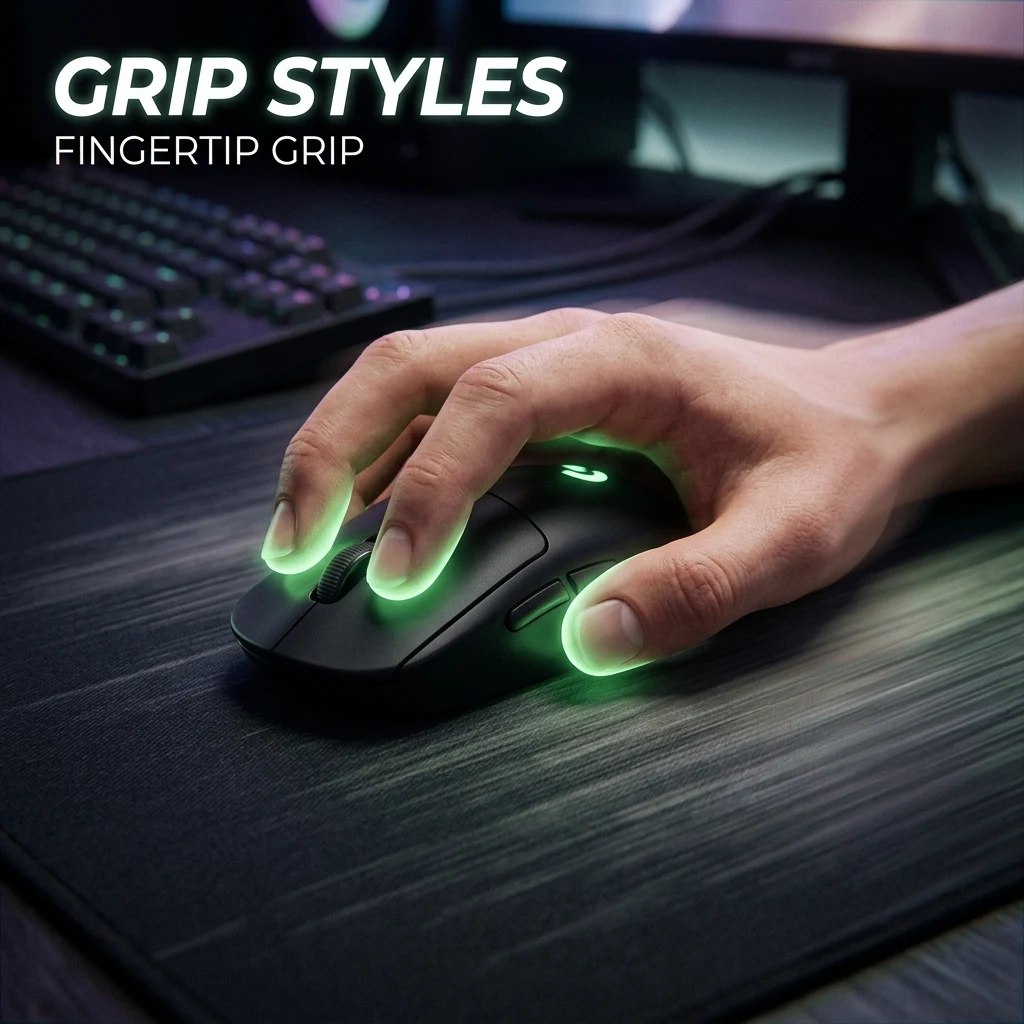
Fingertip Grip: Pure Speed & Vertical Agility
In a Fingertip Grip, your palm does not touch the mouse at all. The mouse is held purely by the five fingertips, floating freely beneath your hand cavity.
- Pros: Unmatched agility, lowest click latency, and massive vertical travel range (you can pull the mouse downward into your empty palm using just your fingertips).
- Cons: Demands ultra-lightweight hardware (<40g); higher physical fatigue; prone to slight crosshair jitter under nervous tournament adrenaline.
- Ideal Mouse Shapes: Ultra-compact, low-profile mice (e.g., G-Wolves HTS Plus, Keychron M4, Zaunkoenig M2K).
Grip Comparison Matrix
| Grip Style | Palm Contact | Flick Speed | Micro-Adjustment Range | Fatigue Level | Best Suited For |
|---|---|---|---|---|---|
| Palm Grip | 100% Full Contact | Moderate | Low (Wrist Only) | Very Low | CS2 / Valorant Tactical Crosshair Placement |
| Claw Grip | Rear Hump Contact | Very Fast | High (Wrist + Knuckles) | Low-Moderate | All FPS Genres (Universal Meta) |
| Fingertip Grip | 0% (Zero Contact) | Extremely Fast | Maximum (Full Finger Flex) | Moderate | Apex Legends / Quake / High-Speed Tracking |
Find the perfect mouse shell for your grip with our Interactive Mouse Finder and browse exact dimensions in the Mouse Database.
Frequently Asked Questions
Frequently Asked Questions
Which grip style is best for aim?
Claw grip is widely considered the best all-around grip for competitive FPS because it combines the tracking stability of rear palm support with the rapid flicking speed and micro-adjustment capability of arched fingertips.
Can you switch grip styles without hurting your aim?
Switching grip styles requires retraining your subconscious finger muscles and typically takes 2 to 4 weeks of dedicated aim training before matching your original consistency.
Equipamentos de Elite Recomendados
Mouses ultra-leves topo de linha recomendados pelo Treinador Dalto para máxima precisão de sensor e consistência física no seu mousepad:
Logitech G Pro X Superlight 2
O mouse mais vencedor do cenário competitivo. Shape icônico, sensor HERO 2 e switches ópticos-mecânicos híbridos.
Razer Viper V3 Pro
Rastreador preciso com polling rate sem fio nativo de 8.000 Hz e formato simétrico ergonômico moderno.
Razer DeathAdder V3 Pro
Excelente para pegadas palm ou claw que querem apoio anatômico. Sensor Focus Pro 30K de última geração.
Lamzu Atlantis OG V2 / Thorn
Mouse boutique com peso irrisório e base vazada. Pegada traseira perfeita para controle agressivo de claw grip.
🎯 Lock In Perfect 1:1 Aim & Pro Consistency
Tired of daily aim inconsistency? Calibrate your physical cm/360, scope matching, and sensor latency. Get the complete Precision Aim System (4-Part Technical Manifestos) today for only $9.00 USD!
Unlock Elite Precision ($9) ⚡Dalto Outlier
Creator, DCPROSENSDalto built DCPROSENS to help competitive FPS players convert sensitivity, calibrate DPI, and keep their aim consistent across games.


