What Is SteelSeries GG? Complete Software Guide
TL;DR
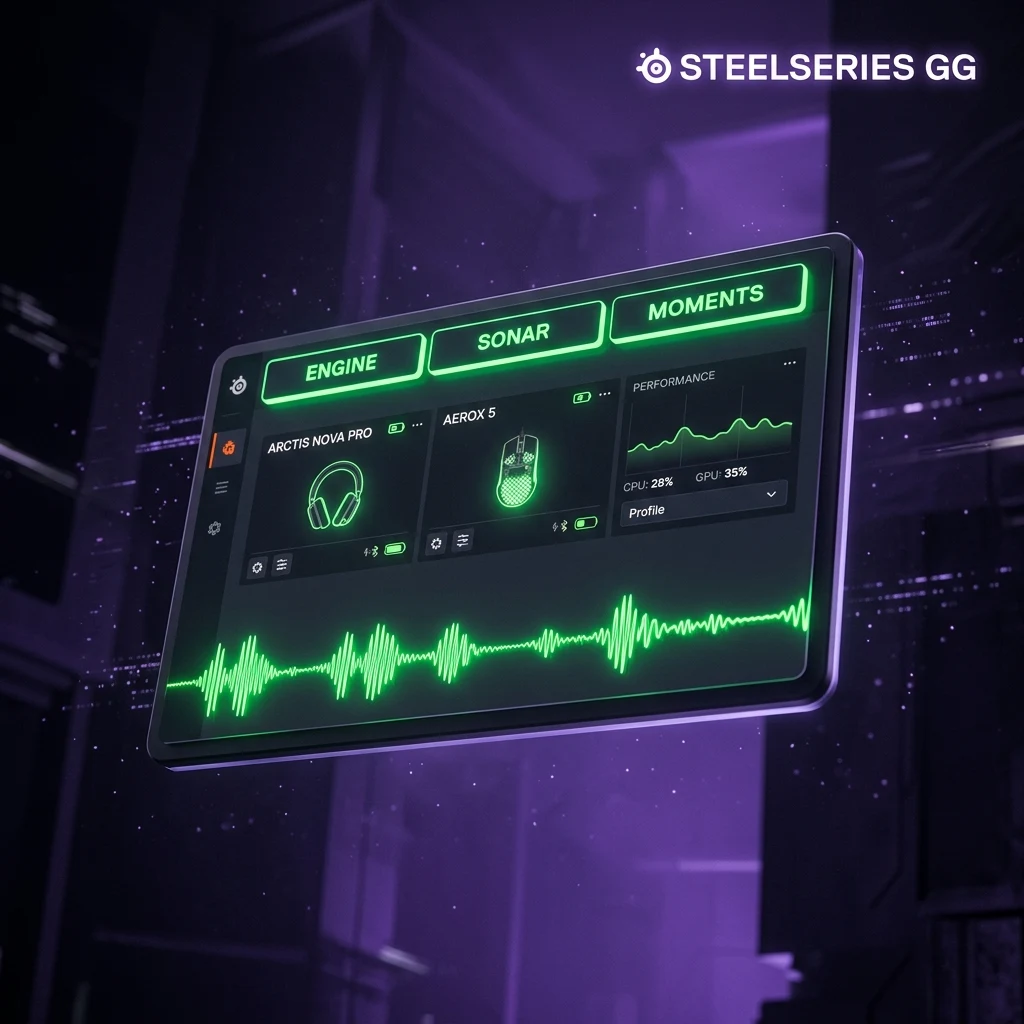
SteelSeries GG is a unified app combining three tools: Engine (device configuration — DPI, RGB, macros, per-game profiles), Sonar (audio routing, EQ, and chat mix), and Moments (background gameplay clip recording). It's the successor to SteelSeries' older separate Engine app, and most SteelSeries mice and keyboards store their core settings onboard once configured, so it isn't required to run constantly in the background.
What SteelSeries GG Includes
SteelSeries GG is SteelSeries' current all-in-one software suite, replacing the older standalone Engine app with a single hub that bundles three distinct tools under one interface:
- Engine — the core device configuration module, handling DPI, polling rate, button remapping, macros, per-game profiles, and RGB lighting for connected SteelSeries mice, keyboards, and headsets.
- Sonar — an audio processing layer that sits between your game/apps and your output device, offering parametric EQ presets, app-aware chat-mix control (balancing game audio against Discord or voice chat independently), and virtual audio devices for streaming setups.
- Moments — a background gameplay recording tool that captures and clips highlights automatically, similar in concept to NVIDIA's Shadowplay, running with a lightweight background footprint when active.
You don't have to use all three — Engine is the only piece required for basic mouse/keyboard configuration, and Sonar and Moments can be left uninstalled or disabled if you only care about device settings.
GG itself is the successor to SteelSeries' older, standalone Engine application, which handled only device configuration with none of the audio or capture tooling. The consolidation mirrors what most major peripheral brands have done in recent years — Logitech's G HUB and Razer's Synapse both went through a similar shift from a narrow device-driver panel toward a broader software ecosystem bundling adjacent tools. The upside is fewer separate apps to manage; the tradeoff is a larger overall install and background footprint if you only wanted the device-configuration piece.
Sonar in More Detail
Sonar is worth a closer look since it's the least self-explanatory of the three modules. It works as a virtual audio layer that sits between your applications and your actual output device, which is what lets it apply per-app volume and EQ independently — turning down Discord relative to game audio, for instance, without touching either application's own volume control. This app-aware routing requires Sonar's background service to be running to take effect; closing GG (and Sonar with it) reverts audio to standard Windows mixing without the independent per-app control.
Sonar also exposes parametric EQ presets tuned for specific use cases — competitive footstep clarity being a common one, boosting the frequency range where footstep and reload audio cues sit in shooters like CS2 and Valorant, at the cost of a flatter, less "produced" sound for music or movies. Whether this actually provides a meaningful competitive advantage over a well-tuned headset EQ is debatable and hasn't been independently benchmarked in a way this article can verify — treat it as a convenience feature worth trying rather than a guaranteed edge.
Moments in More Detail
Moments runs a rolling background buffer of recent gameplay, similar in concept to NVIDIA's Instant Replay feature within Shadowplay, so that pressing a save hotkey after something notable happens captures the preceding seconds rather than requiring you to have started recording in advance. This background buffering does consume some GPU encoding resources continuously while active, though modern GPUs with dedicated hardware encoders handle it with a lighter performance cost than software-based recording would. If you don't clip highlights, there's no downside to leaving Moments disabled entirely.
Setting Up Your Mouse/Keyboard
After installing GG and connecting a SteelSeries device, the Engine tab auto-detects it and exposes device-specific settings: DPI stages (adjustable individually per stage, with most modern SteelSeries mice supporting custom values well beyond the factory presets), polling rate up to whatever the specific model supports, button remaps, and lighting profiles synced across multiple connected SteelSeries devices at once if you own more than one. As with most modern gaming mouse software, these settings save to onboard memory on supported models, so the device keeps working correctly even on a PC without GG installed.
Once your DPI is set, verify the real measured value with our DPI analyzer, then use the DPI calculator and sensitivity converter to translate it into an accurate in-game sensitivity for your target game.
GG also handles keyboard-specific settings for SteelSeries mechanical keyboards — key remapping, per-key RGB, and on models with adjustable actuation, similar (though not identical) sensitivity tuning to what Wooting's Hall-effect keyboards offer through Wootility. The exact feature set depends heavily on the specific keyboard's switch technology, so check your model's supported features in Engine before assuming a specific competitive feature like rapid-reset actuation is available.
Is It Required to Use SteelSeries Gear
No — like other major peripheral software suites, GG is a configuration tool, not a runtime requirement. A SteelSeries mouse or keyboard with onboard memory functions as a standard plug-and-play device without GG running, retaining whatever DPI, button, and lighting settings were last saved to it. You only need GG actively open if you want to use Sonar's live audio routing or Moments' background recording, both of which require the app (or at least their specific background service) to be running.
This mirrors the pattern across nearly every major gaming peripheral ecosystem: the configuration app sets the device, then steps out of the way for onboard-memory hardware. If you're weighing whether that matters for your next purchase, our companion guide on Logitech G HUB covers how a competing brand handles the identical tradeoff between cloud-synced convenience and pure local/onboard operation.
If you're deciding between SteelSeries gear and another brand, compare real specs side by side in our mouse database before buying, and use the mouse finder to match a shape and weight to your grip style — sensor quality and shape matter more for competitive FPS than which companion software ecosystem a mouse belongs to.
Firmware updates for SteelSeries mice and keyboards are also delivered through GG, and it's worth checking for one on a fresh install even if you plan to close the app afterward — firmware fixes for sensor behavior and connection stability aren't uncommon across the industry, not specific to any one brand. As with Logitech and other major peripheral ecosystems, treat the first-launch firmware check as a standard part of setup rather than an optional step, since it can resolve issues before they ever show up during actual play.
Frequently Asked Questions
Frequently Asked Questions
Can I use a SteelSeries mouse without GG installed?
Yes, for basic use — a SteelSeries mouse works as a standard USB mouse without any software, and models with onboard memory retain whatever DPI, button, and RGB settings were last configured through GG even after you close or uninstall it. You only need GG running if you want to actively use Sonar's audio tools or Moments' recording feature.
Does SteelSeries GG slow down your PC?
Engine's background footprint for basic device monitoring is generally light, similar to other peripheral configuration apps. The heavier components are Sonar (which processes live audio) and Moments (which records in the background when enabled) — if you're not using either, disabling them or fully closing GG after configuring your device removes most of its resource footprint.
🎯 Lock In Perfect 1:1 Aim & Pro Consistency
Tired of daily aim inconsistency? Calibrate your physical cm/360, scope matching, and sensor latency. Get the complete Precision Aim System (4-Part Technical Manifestos) today for only $9.00 USD!
Unlock Elite Precision ($9) ⚡Dalto Outlier
Creator, DCPROSENSDalto built DCPROSENS to help competitive FPS players convert sensitivity, calibrate DPI, and keep their aim consistent across games.


