Crosshair Generator & Database — All Games Hub
TL;DR
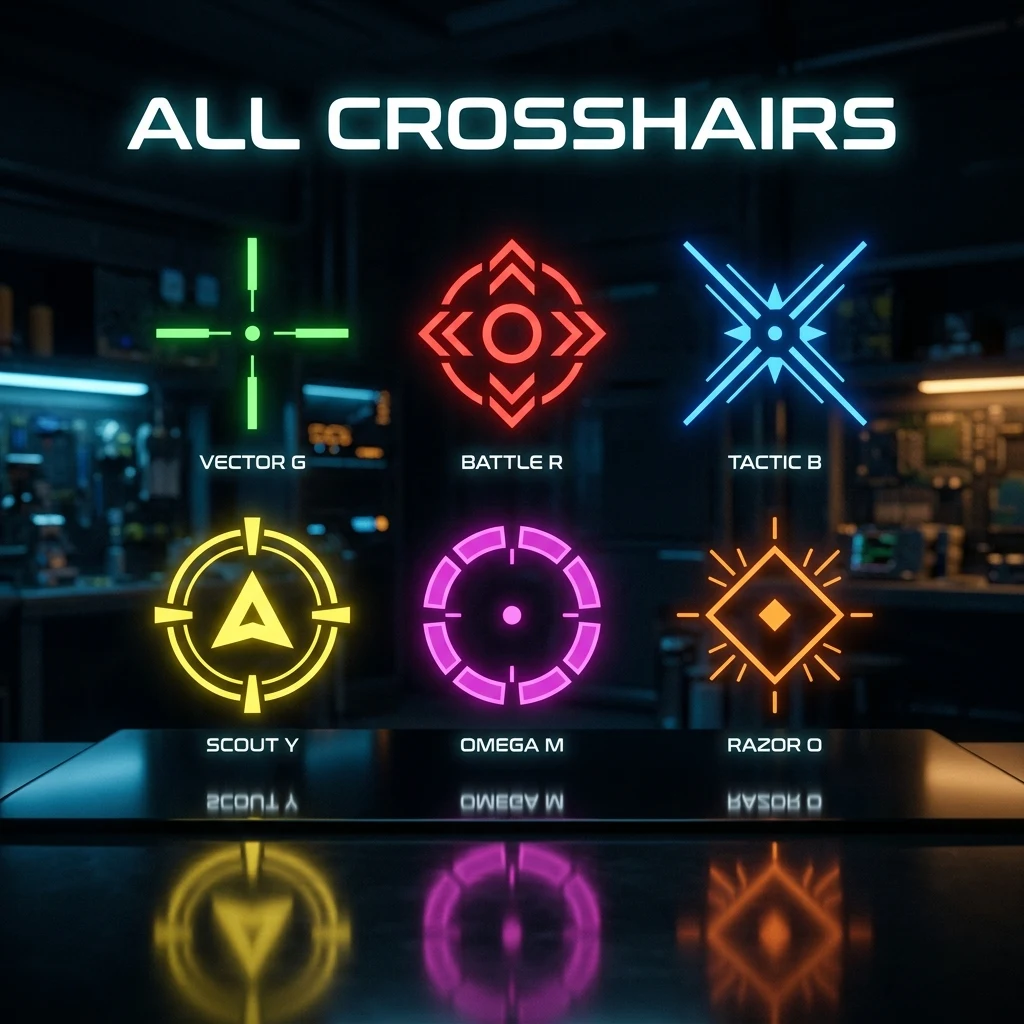
DCPROSENS's crosshair generator builds live-preview, exportable crosshair codes for Valorant and CS2 — the two major competitive shooters where crosshairs are defined by an importable string rather than a fixed in-game reticle. Every other major title DCPROSENS covers (Marvel Rivals, Apex Legends, Overwatch 2, Fortnite) uses its own settings-menu system instead, and this hub links out to the right guide for each one.
Why Crosshair Shape and Size Actually Matter
Your crosshair is the single UI element you look at more than anything else in a match — every engagement starts with where it's already resting. Its size determines how much of a target it obscures before you fire (too large and you're aiming at your own reticle instead of the enemy's hitbox), its color determines how fast you can find it against a given background, and its shape determines what kind of feedback it gives you while tracking recoil or a moving target. None of this is cosmetic: a crosshair that's hard to see against your maps costs you fractions of a second on every single duel, and those fractions compound across a full match.
Different games solve crosshair customization completely differently, which is the reason a single "universal" generator can't exist the way a sensitivity converter can. A sensitivity converter works across 70+ games because the underlying math (yaw constants, DPI, cm/360) is consistent everywhere. Crosshair systems aren't — some games expose a full parameter set with an exportable code, others expose a handful of sliders with no code at all, and a couple of newer titles have only just added code-based import in the last few months. Below is exactly where DCPROSENS's tools cover which part of that landscape.
Which Games Support Code-Based Crosshair Import (and Which Don't)
Valorant and CS2 are the two games where a crosshair is defined by a compact, shareable string that fully reproduces every visual parameter — color, size, thickness, gap, outline, opacity — the moment it's pasted into the right menu. That's what makes a dedicated generator tool possible for these two specifically: build it once with a live preview, export the string, and it reproduces identically on any account.
Marvel Rivals joined this category recently — as of Season 9.5 (August 2026), it added custom reticle codes, hero-specific saved profiles, and an official way to copy another player's reticle directly from their in-game profile. See our dedicated Marvel Rivals Crosshair Settings Guide for the exact import steps, since its menu path (Settings → Keyboard → Combat → HUD → Reticle Save Option) is different from both Valorant's and CS2's.
Apex Legends, Overwatch 2, and Fortnite take a different approach entirely: crosshair customization lives in a settings-menu with sliders (color, thickness, dot on/off, opacity) rather than a single importable code, and there's no official way to export or share the exact resulting configuration as a string. You can still replicate a specific look by matching each slider manually, just not by pasting one code the way you can in Valorant, CS2, or now Marvel Rivals.
Try the DCPROSENS Crosshair Generator (Valorant & CS2)
The DCPROSENS Crosshair Generator covers both of the games with true code-based import: switch between the Valorant and CS2 tabs, adjust every parameter with a live preview against a realistic background, and export either a Valorant profile code or CS2 console commands ready to paste in-game. It also ships with real pro-player presets as a starting point, so you can begin from a proven baseline and adjust from there rather than tuning every value from zero. If you want the reasoning behind why a specific size, color, or outline setting works — not just the raw numbers — our companion guide Build the Perfect CS2/Valorant Crosshair covers the tuning philosophy in depth.
For real, verified pro crosshair codes specifically (rather than building your own from scratch), the Pro Crosshair Database currently covers Valorant, pulled directly from DCPROSENS's own pro player database.
Crosshair Guidance for Every Other Game DCPROSENS Covers
Since not every game exports a code, DCPROSENS's blog covers the settings-menu path for the games that don't — and the underlying design logic that applies everywhere, regardless of format:
- Marvel Rivals Crosshair Settings Guide — the newest addition to the code-import category, with hero-specific setup.
- Best Crosshair Color for Visibility: A Map-by-Map Guide — which colors actually stand out against specific CS2 and Valorant map palettes, a principle that carries over to any game once you know your maps' dominant color theme.
- Crosshairs Explained: Dot vs Cross vs Circle — the shape logic behind every crosshair system, code-based or slider-based.
- How to Import & Export Crosshair Codes Between Any Game — for players juggling a code-based crosshair in one game and a settings-menu equivalent in another.
How the Generator Tool Works
Under the hood, the generator renders your exact settings against a live preview pane so you can judge visibility and precision before ever loading the game, then serializes those settings into the target game's native format — a semicolon-delimited profile string for Valorant, or a block of cl_crosshair* console commands for CS2. Both formats are read natively by the game itself; the generator doesn't do anything the in-game menu couldn't eventually do by hand, it just lets you iterate faster with a live preview and start from a known-good pro preset instead of guessing at raw numbers one at a time.
Once you've settled on a crosshair, pair it with an accurate sensitivity conversion if you're switching games — a great crosshair on a mismatched sensitivity still won't land shots consistently, since the two settings solve different problems (where your reticle sits vs. how far it moves per swipe).
What "Database" Means Here, Specifically
It's worth being precise about scope, since "database" can imply more than what currently exists. DCPROSENS's crosshair database is real, verified pro data — but it's Valorant-only today, sourced directly from the same pro player database used across the site rather than scraped or guessed. CS2, Apex Legends, and Overwatch 2 pro crosshair settings are being verified before they're added, specifically to avoid publishing a setting attributed to a pro that turns out to be outdated or simply wrong — a common problem on settings-aggregator sites that pull from unverified community posts rather than a primary source. If a specific game or player isn't listed yet, that's the reason why, not an oversight.
This same verification standard is why the generator itself doesn't claim support for games it doesn't actually have code-based import for. A "hub" that listed a fake Apex Legends or Fortnite crosshair generator would be actively less useful than one that's honest about which two games currently support the feature and points you to accurate settings-menu guidance for the rest.
Choosing a Starting Point Before You Customize
Whether you're building a crosshair from scratch in the generator or adjusting a pro preset, start from a real reference point rather than a blank slate — it's far faster to adjust a working baseline toward your own preference than to guess at eight interacting parameters simultaneously. The pro presets built into the crosshair generator exist for exactly this reason: pick one close to your general preference (small vs. larger, cross vs. dot, with vs. without outline), then adjust size and color specifically for your own monitor size, resolution, and eyesight rather than copying the raw numbers unchanged. Our companion guide, Build the Perfect CS2/Valorant Crosshair, walks through that tuning process parameter by parameter.
Where to Go Next From This Hub
If you already know which game you're setting up for, jump straight to the relevant guide rather than reading through all of them: use the crosshair generator directly for Valorant or CS2, the Marvel Rivals guide for that game's newer code system, or the color guide if your crosshair setup is already built and color is the only thing left to dial in. This hub exists to point you to the right specific resource fast, not to duplicate what those dedicated guides already cover in depth.
Frequently Asked Questions
Frequently Asked Questions
Does crosshair color affect performance?
Yes, indirectly. A crosshair color that blends into your maps' dominant palette costs you time finding your own aim point during fast engagements. A high-contrast color for your specific game's maps helps you re-acquire your crosshair instantly, which matters most during quick peeks and flicks.
Can I use the same crosshair across every game?
No — crosshair systems aren't standardized the way sensitivity math is. Valorant, CS2, and (as of Season 9.5) Marvel Rivals use their own incompatible code formats, and games like Apex Legends, Overwatch 2, and Fortnite don't export a code at all, so you have to rebuild the look manually via sliders in each one.
🎯 Lock In Perfect 1:1 Aim & Pro Consistency
Tired of daily aim inconsistency? Calibrate your physical cm/360, scope matching, and sensor latency. Get the complete Precision Aim System (4-Part Technical Manifestos) today for only $9.00 USD!
Unlock Elite Precision ($9) ⚡Dalto Outlier
Creator, DCPROSENSDalto built DCPROSENS to help competitive FPS players convert sensitivity, calibrate DPI, and keep their aim consistent across games.


